Every port, explained
Port 3000, 5173, 8080 and the rest, each with the program behind it, its command line and the folder it runs from.
 VeyraSTUDIO
Every port in use. One click to free it.
See every port your programs use and the app behind it. Open it, copy its address, or stop it, safely, without leaving VS Code.
flightcoders.veyra-port-manager · v1.0.0 · Free · MIT · Windows, macOS, Linux
$ npm run dev
Error: listen EADDRINUSE: address already in use :::3000
    at Server.setupListenHandle [as _listen2]
node · PID 18244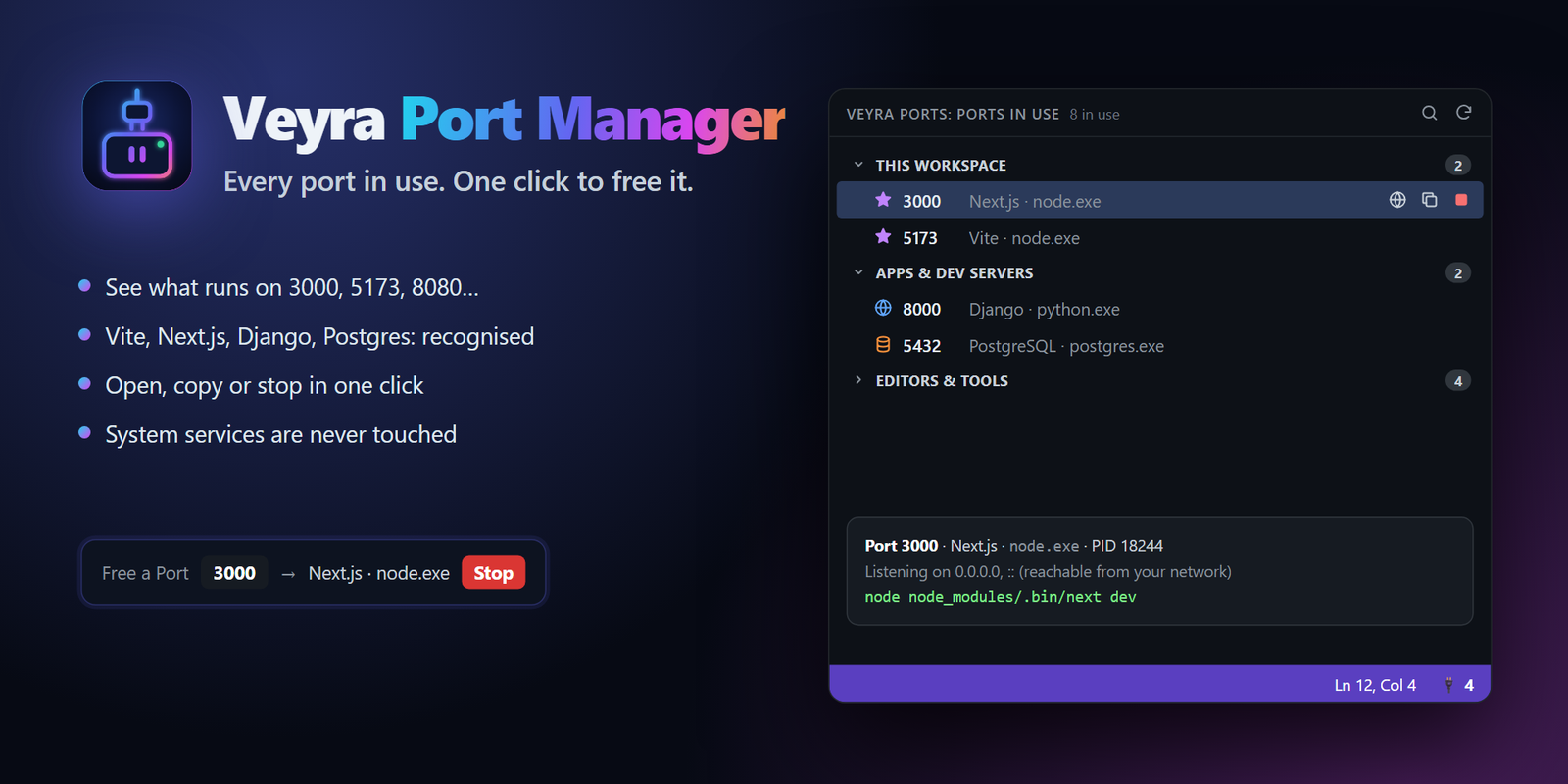
Port 3000, 5173, 8080 and the rest, each with the program behind it, its command line and the folder it runs from.
Vite, Next.js, Nuxt, Astro, Angular, Django, Flask, FastAPI, Rails, Laravel, Spring Boot, Postgres, MySQL, Redis, Docker and more, by name.
Servers started from the open folder are grouped at the top, ahead of everything else on your computer.
Run Free a Port…, type 3000, see what holds it and stop it. No terminal, no netstat, no hunting for the right kill command.
When a web dev server starts in your workspace, Port Manager offers to open it in your browser.
Instant refreshes while the view is open, a check every 20 seconds otherwise, nothing while VS Code is in the background.
Port Manager reads each program’s command line and names what it is, so you never have to guess which node is which.
Or from a terminal: code --install-extension flightcoders.veyra-port-manager. Working offline? Download the .vsix and choose Install from VSIX….
Yes. It is free and MIT licensed, with no account, no telemetry and no runtime dependencies.
No. System services, other users’ programs and code editors (VS Code, Cursor, Windsurf, Veyra Studio) are never offered for stopping. Stopping always asks first, and Port Manager checks the program still holds that port before it acts, so a reused process ID can never stop the wrong program.
No. It sees and stops only your own programs, using what Windows, macOS and Linux already report.
Yes. It lists the ports on the machine you are connected to, and opens them in your local browser through VS Code’s port forwarding.
More from Veyra: Veyra Live Server and all extensions.
Veyra Studio is a fast, free code editor with Live Server, Python debugging and Veyra AI built in.