 Salesforce Studio
 JetBrains pluginsNew
 Code Guard
 Auto Rename Tag
 Todo Tree
 Error Lens
 Path IntelliSense
 npm IntelliSense
 Live Values
 Blast Radius
 Query Lens
 Container Studio
 API Client
 Port Manager
 Live Server
 Hotspots
 Rewind
 CodeSnap
 Git Graph
 Document Viewer
 Env
 MCP Studio
 Aura
 Code Garden
 Wrapped
 Pets
A serious editor
Monaco at the core: IntelliSense, multi-cursor editing, a built-in Python debugger and 80+ languages, wrapped in a native, lightweight shell.
01 VeyraSTUDIO
Veyra feels like VS Code (the same Monaco editor, the same shortcuts) but it's a native Rust app with no bundled browser, so it's light on memory and quick to open. Git, a real terminal and fast search are built in, with no AI and no tracking.
Veyra (Veyra Studio) is a desktop code editor for Windows, macOS and Linux. It pairs the Monaco editor with a native Rust core, so it opens fast and its installers are small (7–12 MB on Windows, macOS and Linux .deb/.rpm; the self-contained AppImage is about 83 MB). Git, a real terminal, project-wide IntelliSense and Android Studio-style navigation (Search Everywhere, Recent Files and a TODO window) are built in. Veyra is a pure code editor with no AI and no telemetry, so your code never leaves your computer.
Veyra Studio K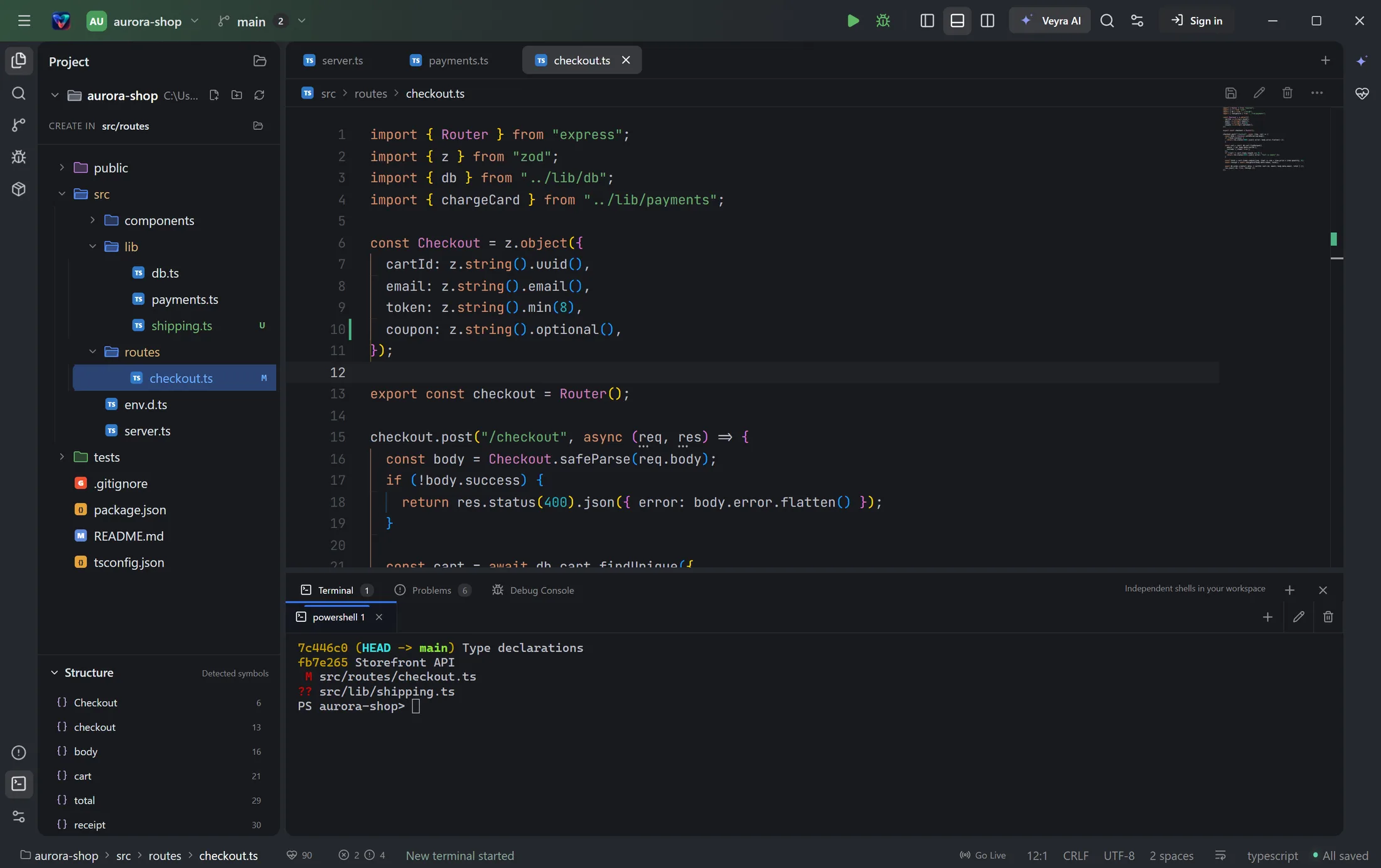
Write with intelligent completions, review every change as a diff, and run your tests, all without leaving Veyra.
Everything a modern developer reaches for, native and fast, in one calm window.
Monaco at the core: IntelliSense, multi-cursor editing, a built-in Python debugger and 80+ languages, wrapped in a native, lightweight shell.
01Live gutter markers, file-tree badges and side-by-side diffs. Stage, commit, amend, switch branches, stash and sync in a click.
02PowerShell, zsh or bash on a native PTY, with multiple sessions and one-key "run this file", right beside your code.
03Tap Shift twice to find any file or action. Ctrl+E jumps back to recent files, and Recent Projects reopen in one click.
04One-click TypeScript, ESLint, Prettier, Tailwind, Emmet, Svelte, Vue and Python: the language servers behind VS Code's favourite extensions.
05Every TODO, FIXME and HACK comment in your project, grouped by file and colour-coded. Click one to jump straight to it.
06A live health score watches responsiveness, memory, errors, Git and your toolchain, with a fix for every warning.
07Signed automatic updates on every platform. A new version is one click away and never interrupts unsaved work.
08No AI, no telemetry, no tracking. Your code never leaves your machine, and atomic saves guard every file you touch.
09Tiny installers built from the same source, kept current with signed one-click updates.
The navigation Android Studio users love, now in Veyra. Jump to any file or action, hop between recent files, reopen projects in one click and keep track of every TODO in your code.
src/parser.ts · tests/parser.test.ts · Format document
TODO  split the lexer into tokens.ts
FIXME handle empty input
HACK  retry twice on timeout
Files, search, terminal, source control and the final diff, arranged as one continuous instrument.
Anthropic's November 2026 for developers: Claude Fable 5.2 at a lower price, Claude Meetings, Whiteboards and Sheets, self-hosted Claude Managed Agents and new API features.
November 21, 2026The GitHub Universe 2026 recap for developers: the new GitHub Copilot app, Copilot Fusion multi-model orchestration, cross-repo Projects, Code Review Max and Copilot for Enterprise customers.
November 21, 2026What's new in IntelliJ IDEA 2026.3: JetBrains Air for agentic development, Java 28 support, worktrees that copy your project setup, editing files inside Kubernetes pods and 1,000+ fixes.
November 21, 2026Everything you need to know about Veyra. More answers on the FAQ page, or ask on GitHub.
Veyra (Veyra Studio) is a free, open-source desktop code editor. It combines the Monaco editor that powers VS Code with real IntelliSense, Git, a terminal and Android Studio-style navigation: Search Everywhere, Recent Files, Recent Projects and a TODO window. It has no AI and no telemetry.
Yes. Veyra is free to download and use, and its source code is on GitHub under the MIT license. If you'd like to back the project, the ♡ Support button in the app is entirely optional.
Windows 10 and 11, macOS 11 or newer on Apple silicon and Intel, and 64-bit Linux (AppImage, .deb and .rpm). Installed copies update themselves automatically.
Veyra is local-first and lightweight: installers are 7–11 MB on Windows, macOS and Linux .deb/.rpm (the self-contained AppImage is larger) because it uses a native Rust backend and your system's web view instead of bundling a browser. Unlike AI-first editors, Veyra has no AI built in and never sends your code anywhere.
No. The editor works without an account. A free account on veyraeditor.com is optional and gives you quick access to downloads and product news.
 YOUR NEXT IDEA DESERVES A GREAT ROOM
Download Veyra for free, explore the source, and help shape an editor built for the way software is changing.
The team behind Veyra builds VS Code extensions, desktop apps, browser extensions and web apps for you.