 Salesforce Studio
 npm IntelliSense
 Path IntelliSense
 Error Lens
 Todo Tree
 Auto Rename Tag
 Live Server
 Port Manager
 API Client
 Container Studio
 Query Lens
 MCP Studio
 Env
Env Document Viewer
 CodeSnap
 Pets
PetsEvery branch at a glance
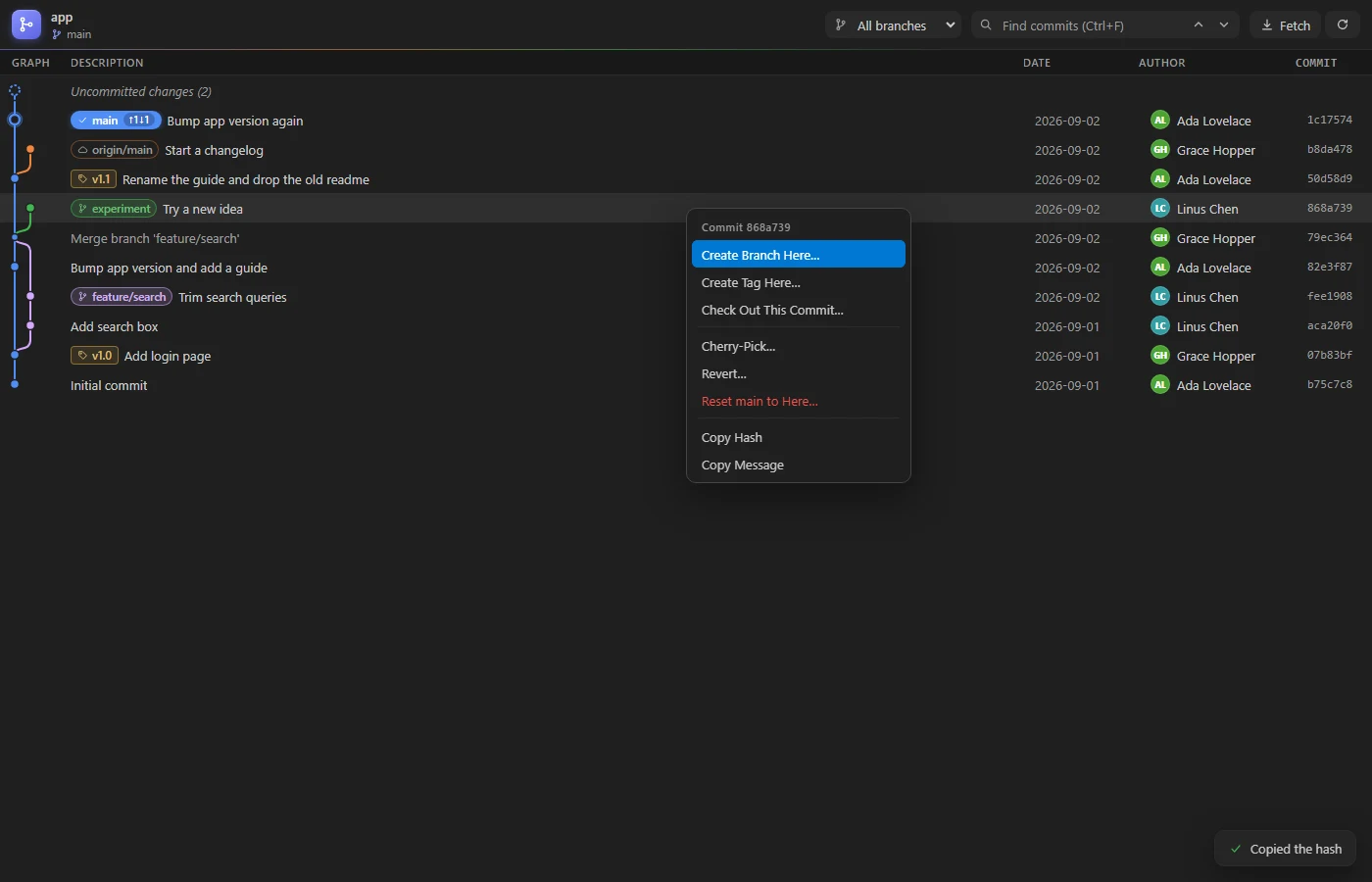
Branches as coloured lanes with merges, tags, remote branches and your uncommitted changes on top.
 VeyraSTUDIO
Your repository, as a graph.
See every branch, merge and tag at a glance. Click a commit to see what it changed, click a file for the diff, and right-click to check out, cherry-pick or revert.
flightcoders.veyra-git-graph · v1.0.0 · Free · MIT · Windows, macOS, Linux
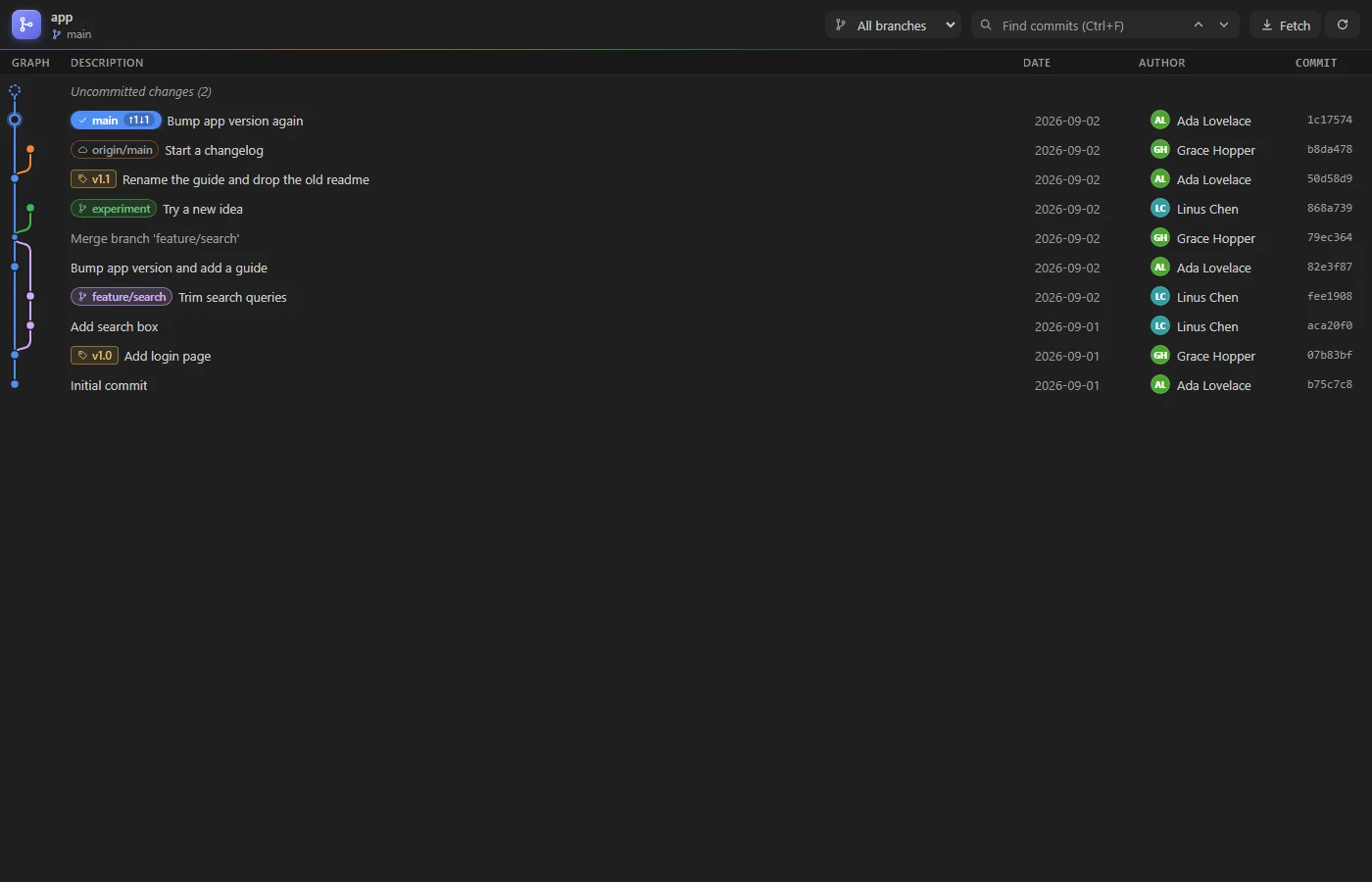
Branches as coloured lanes with merges, tags, remote branches and your uncommitted changes on top.
Branch labels show how many commits you have to push and to pull, so you know before you sync.
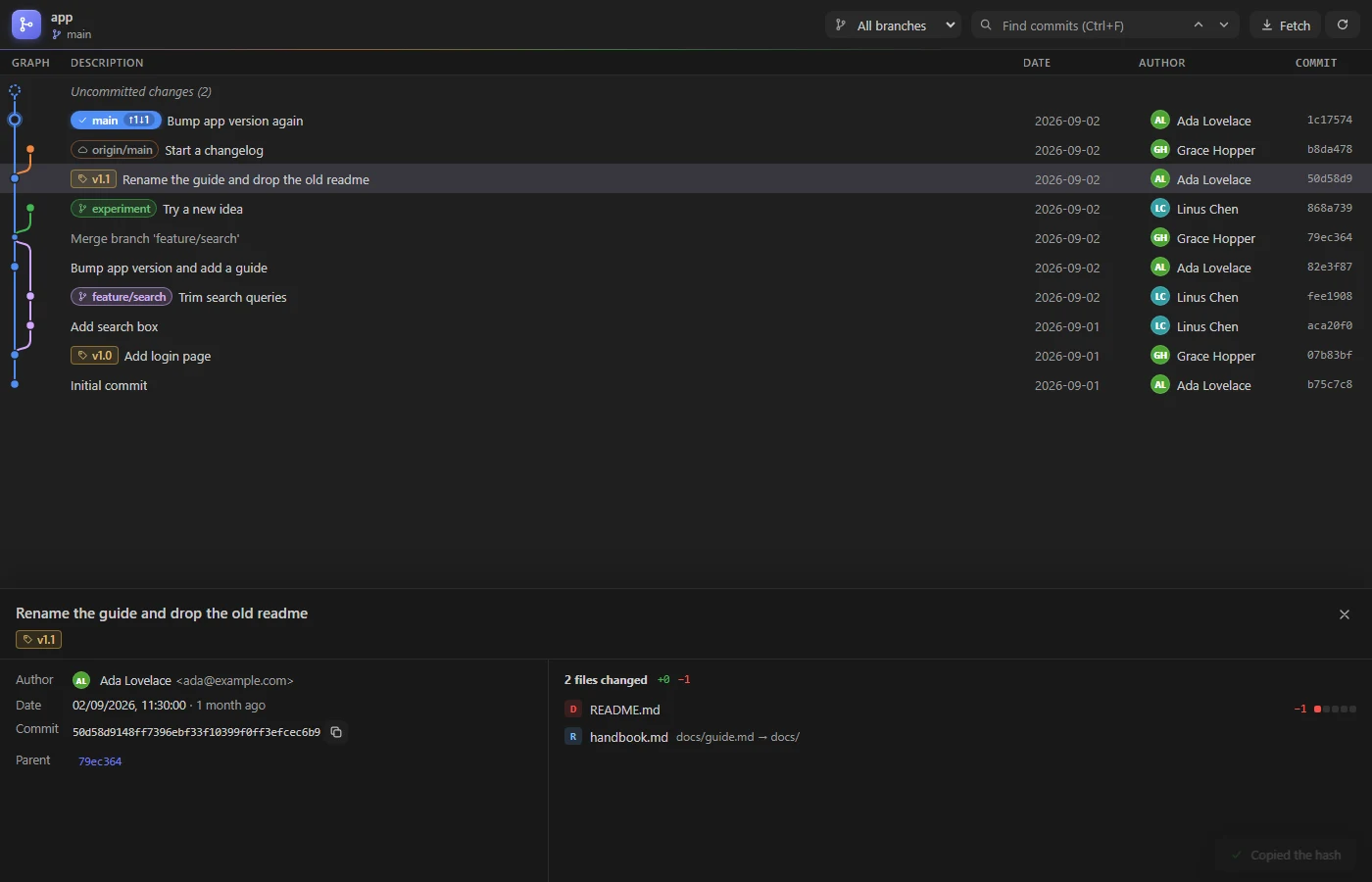
Click a commit for its message, author and every changed file with its lines. Click a file to open the diff.
Ctrl+click a second commit to see every file that changed between them.
Check out, create a branch or tag, cherry-pick, revert, reset, merge, push, rename and delete from a right-click.
Reset Hard, deleting unmerged branches and other changes that lose work explain what will happen first.
Search messages, authors and hashes, or show the history of a single branch.
Arrow keys move through commits with the details following along. Ctrl+Alt+G opens the graph.
Only the rows on screen are drawn, so long histories stay smooth. Nothing is sent anywhere.
It uses the same git as VS Code, so there's nothing to set up.
Yes. Git Graph Veyra is free and MIT licensed, with no account and no telemetry.
Click Git Graph in the status bar or the graph button in the Source Control view, press Ctrl+Alt+G (Cmd+Alt+G on a Mac), or run Git Graph Veyra: View Git Graph from the Command Palette.
Actions that rewrite or discard work, like Reset Hard or deleting a branch that is not merged, explain what will happen and ask first. Saying no changes nothing.
No. It runs the same git as VS Code on your computer. Authors are shown with their initials, so not even profile pictures are downloaded.
It is an independent extension, written from scratch, with ahead and behind counts on branches, commit comparison and line counts for every file.
More for VS Code: CodeSnap Veyra, Veyra Document Viewer, Veyra Env and Veyra MCP Studio. Or browse all 16 Veyra extensions.
Veyra Studio is a fast, free code editor with Live Server, Python debugging and Veyra AI built in.