 Salesforce Studio
 Container StudioNew
 MCP StudioNew
 API ClientNew
 npm IntelliSenseNew
 Port Manager
 Live Server
Missing-variable warnings
Code that reads a variable no .env file sets is underlined as you type, with a quick fix that adds it to .env.
 VeyraSTUDIO
Never ship a missing or leaked env variable again.
Warnings when your code reads a variable .env doesn't set, autocomplete for process.env, secrets hidden on screen, a .gitignore guard, and .env.example kept in sync. Free, with nothing to set up.
flightcoders.veyra-env · v1.0.0 · Free · MIT · Windows, macOS, Linux
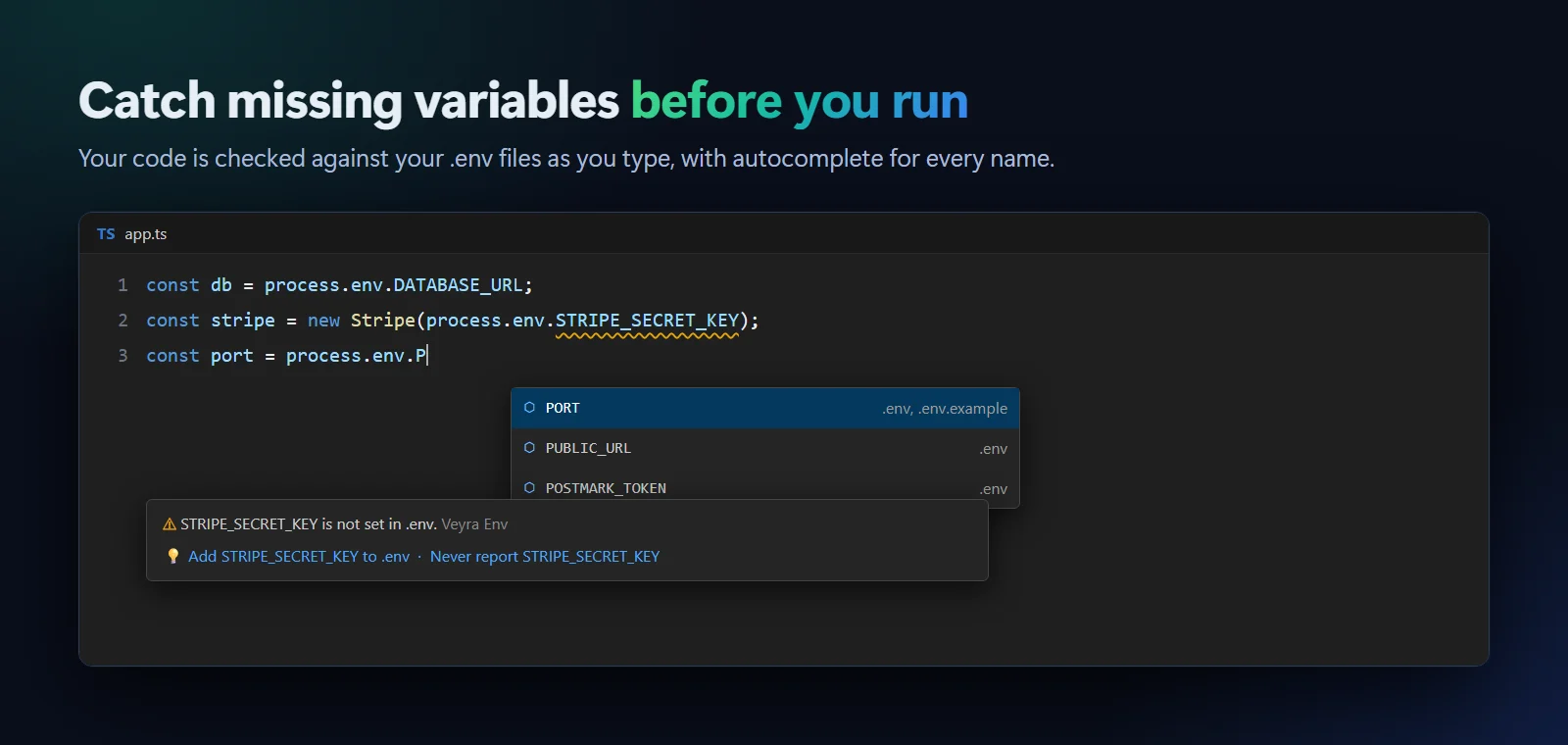
Code that reads a variable no .env file sets is underlined as you type, with a quick fix that adds it to .env.
Every name after process.env., os.getenv(" and more, with the file that sets it. Hover for values, F12 to jump to them.
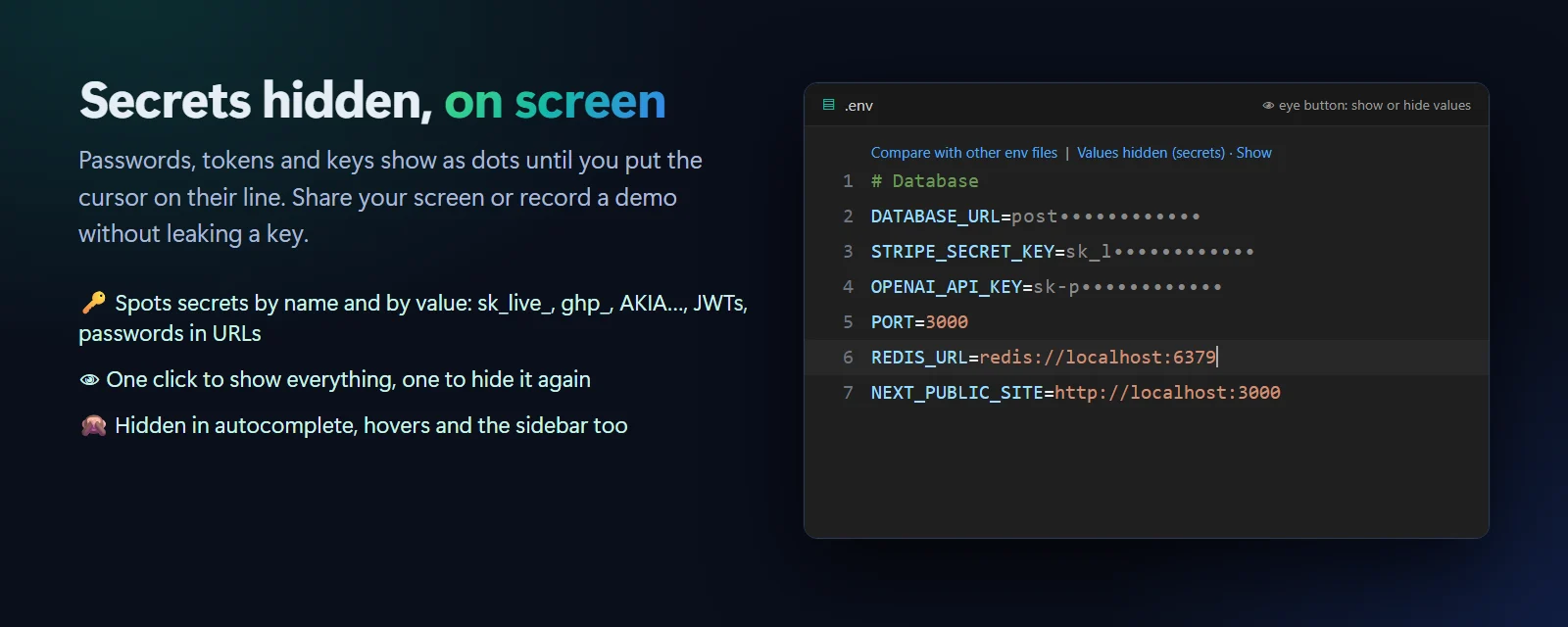
Passwords, tokens and keys show as dots until you put the cursor on their line. Share your screen without leaking a key.
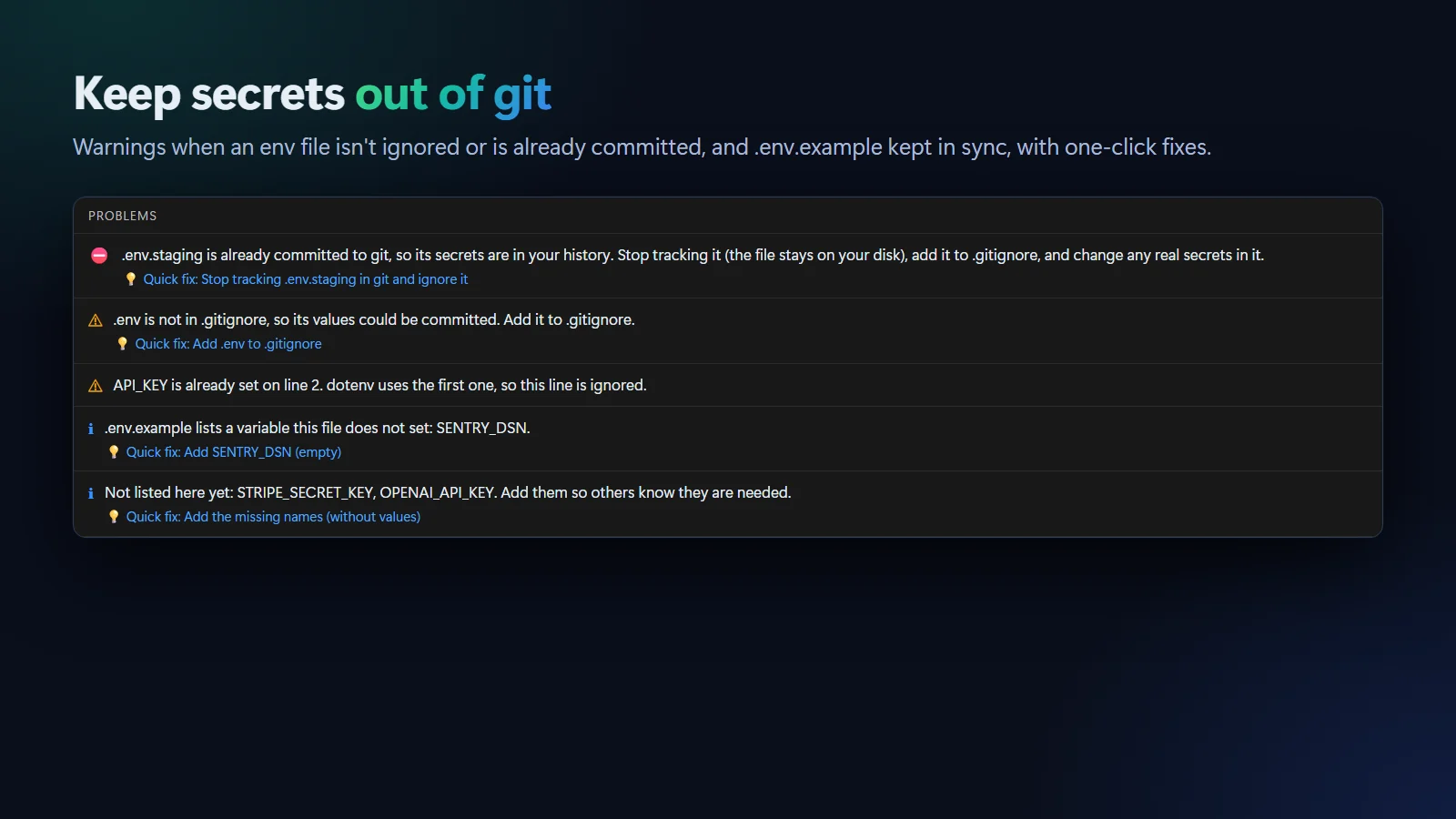
A warning when an env file isn’t ignored, an error when it’s already committed, and one-click fixes for both.
Adds new variable names to the example, never their values, with the comment above each one.
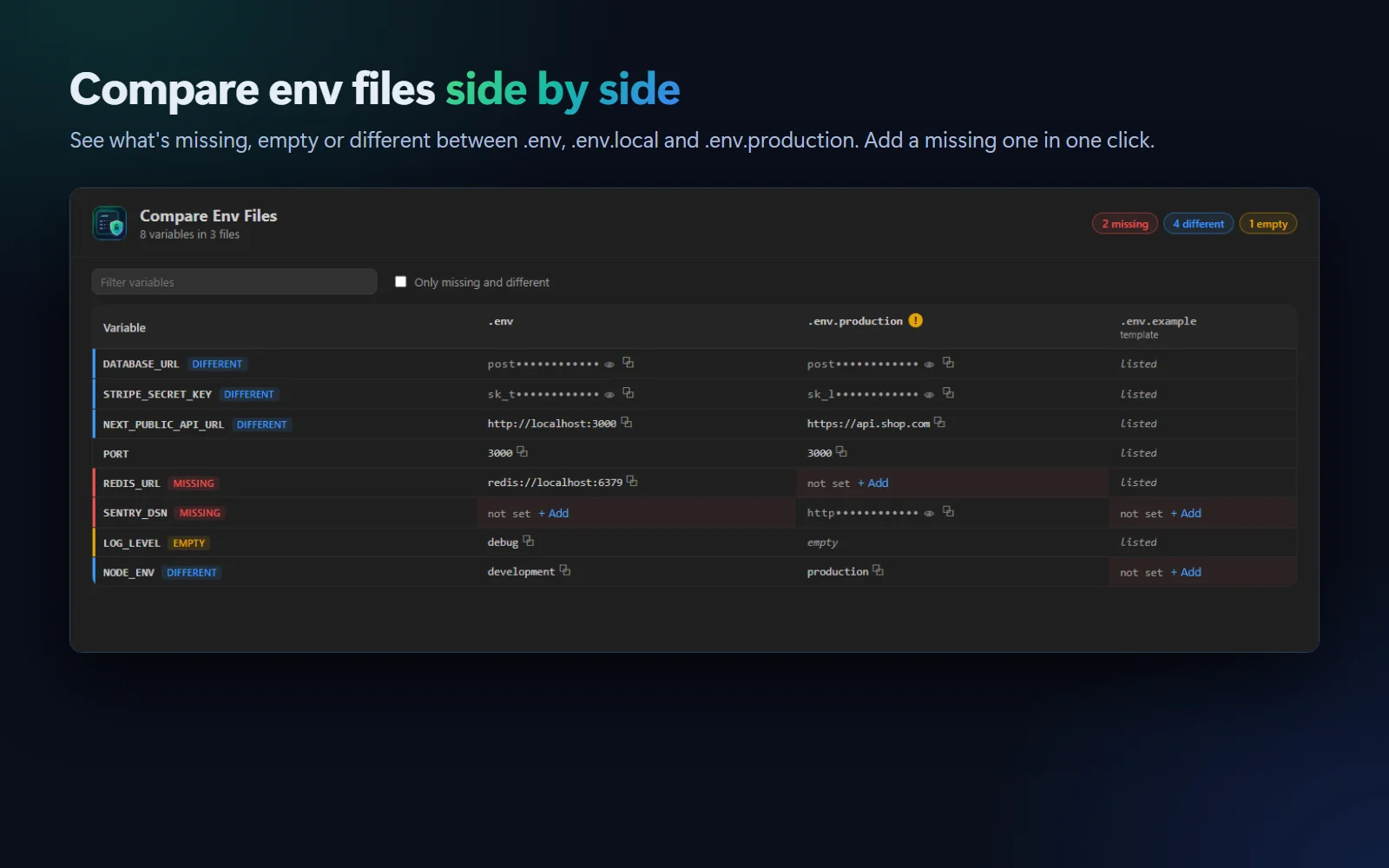
Every variable in every env file in one table, with missing, empty and different values marked.
Duplicate keys, unclosed quotes, spaces around =, values with spaces and invalid names, with quick fixes and syntax colours.
JavaScript, TypeScript, Python, Go, Ruby, PHP, Rust, Java, Kotlin and C#, plus Vite, Next.js, Bun and Deno styles.
It reads files and asks git, and that’s all. No account, no telemetry, nothing sent anywhere.
.vsix (75 KB)..env file. There's nothing to set up.Try it: type process.env. in a JavaScript file. Coming to the Visual Studio Marketplace soon.
Yes. It is free and MIT licensed, with no account and no telemetry.
No. Values are hidden only on screen, in the editor, autocomplete, hovers and the sidebar. The file on disk is unchanged, and putting the cursor on a line shows its value.
From the name (like _SECRET, _TOKEN, _PASSWORD or API_KEY) and from the value (like sk_live_, ghp_, AKIA, JWTs, private keys and URLs with a password). Public values such as NEXT_PUBLIC_ stay visible. You can hide every value, or none, in the settings.
Variables set by the system or platform, like NODE_ENV, PATH, CI and VERCEL_ENV, are never reported. For your own, use the quick fix "Never report", or list them in the veyraEnv.ignore setting.
Yes. Each code file is checked against the .env files in its own folder and the folders above it.
More for VS Code: Veyra Container Studio for Docker, Veyra MCP Studio, Veyra API Client and Veyra npm IntelliSense.
Veyra Studio is a fast, free code editor with Live Server, Python debugging and Veyra AI built in.