 Salesforce Studio
 Container StudioNew
 API ClientNew
 npm IntelliSenseNew
 Port Manager
 Live Server
One sidebar for every app
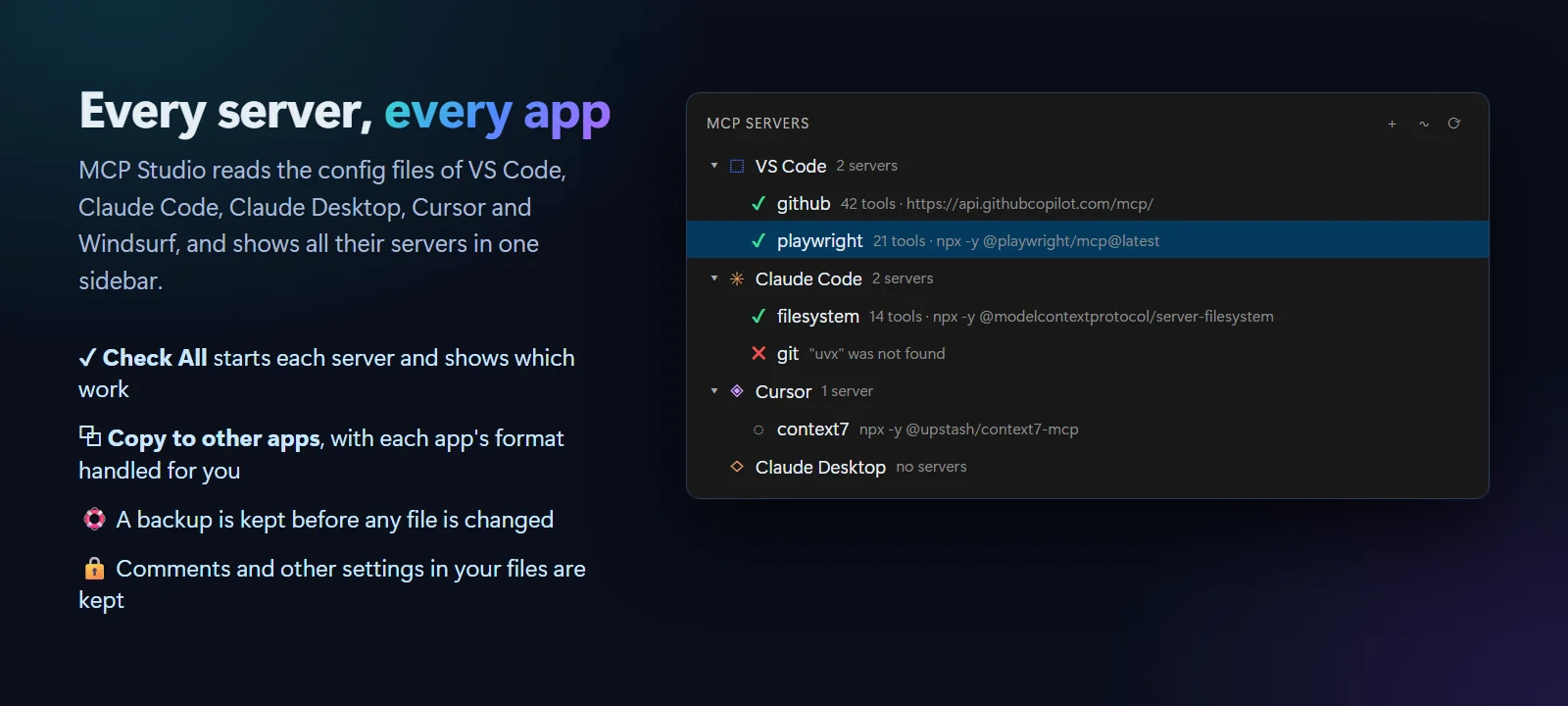
The servers of VS Code, Claude Code, Claude Desktop, Cursor and Windsurf, grouped by app, with a status for each one.
 VeyraSTUDIO
Your MCP servers, all in one place.
See every MCP server from VS Code, Claude, Cursor and Windsurf in one sidebar. Add popular ones in two clicks, try any tool with a simple form, and find out in plain words why a server does not start. Free, with no account.
flightcoders.veyra-mcp-studio · v1.0.0 · Free · MIT · Windows, macOS, Linux
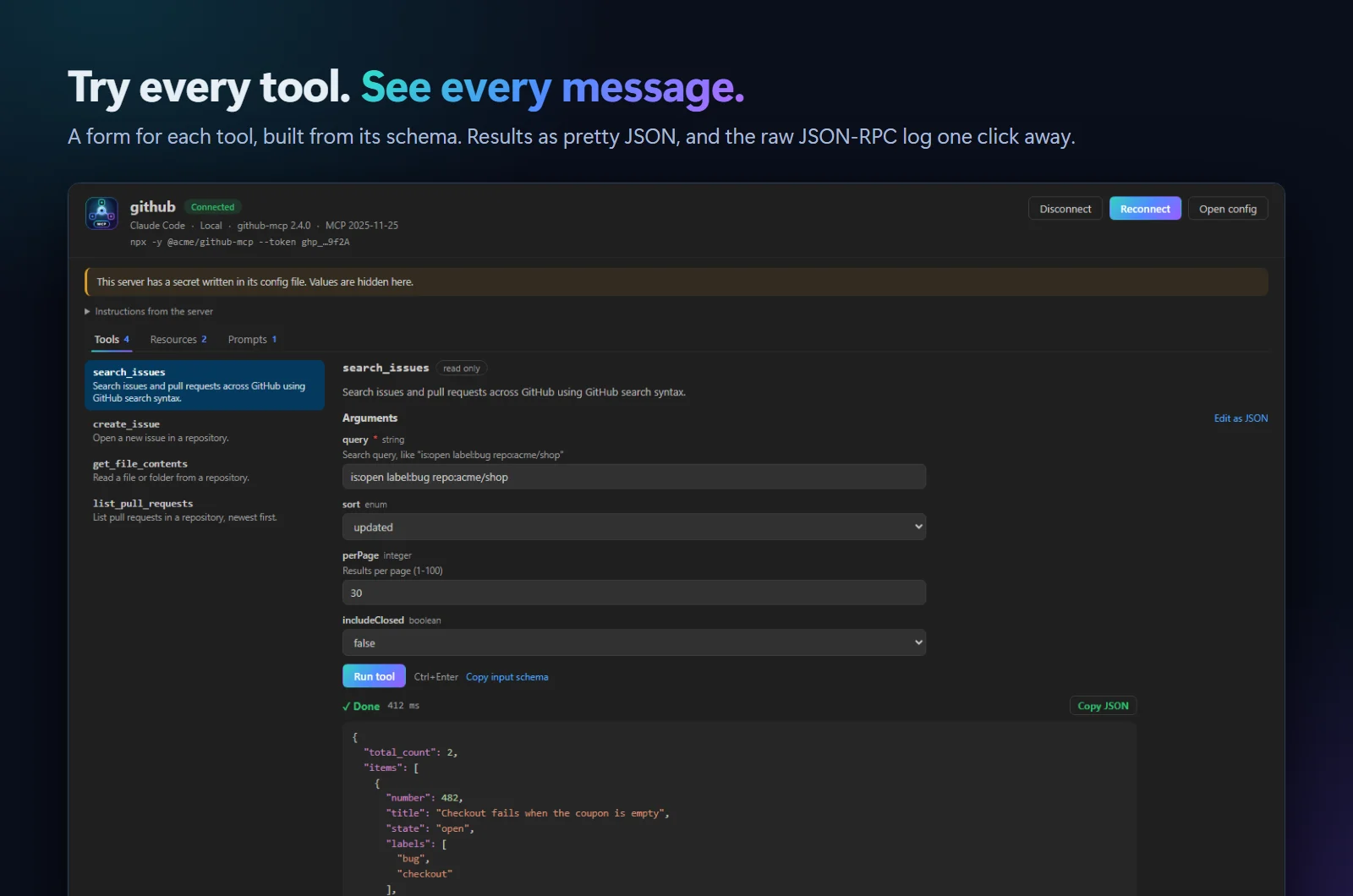
The servers of VS Code, Claude Code, Claude Desktop, Cursor and Windsurf, grouped by app, with a status for each one.
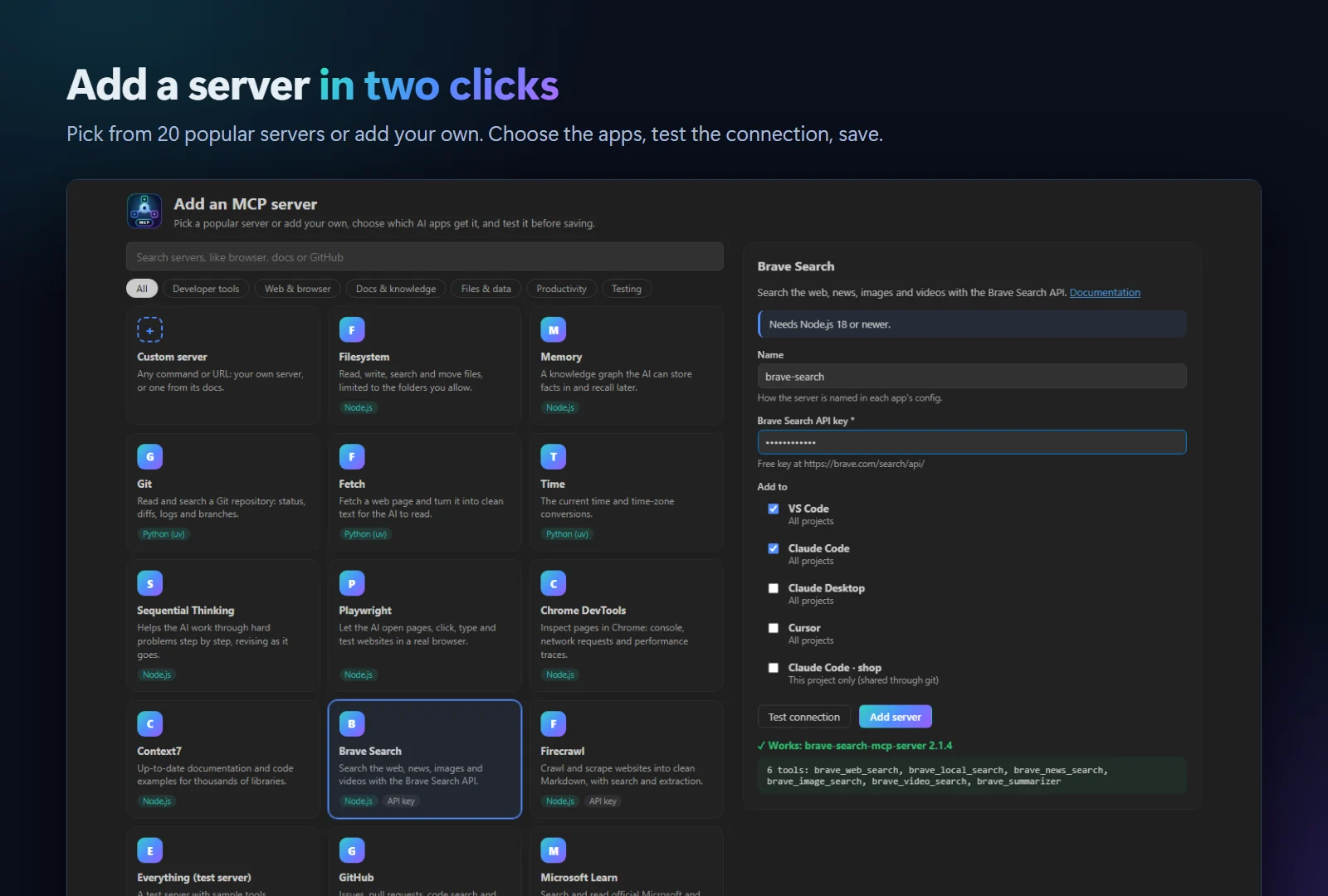
Pick from 20 popular servers like GitHub, Playwright and Context7, fill in a folder or key, and choose which apps get it. No JSON editing.
Test connection starts the server and lists its tools, so you know it works before your AI app tries it.
Try every tool with a form built from its schema, read resources, fill in prompts, and see results as coloured JSON.
The raw JSON-RPC between VS Code and the server, plus what the server prints. Filter it, expand it, copy it for a bug report.
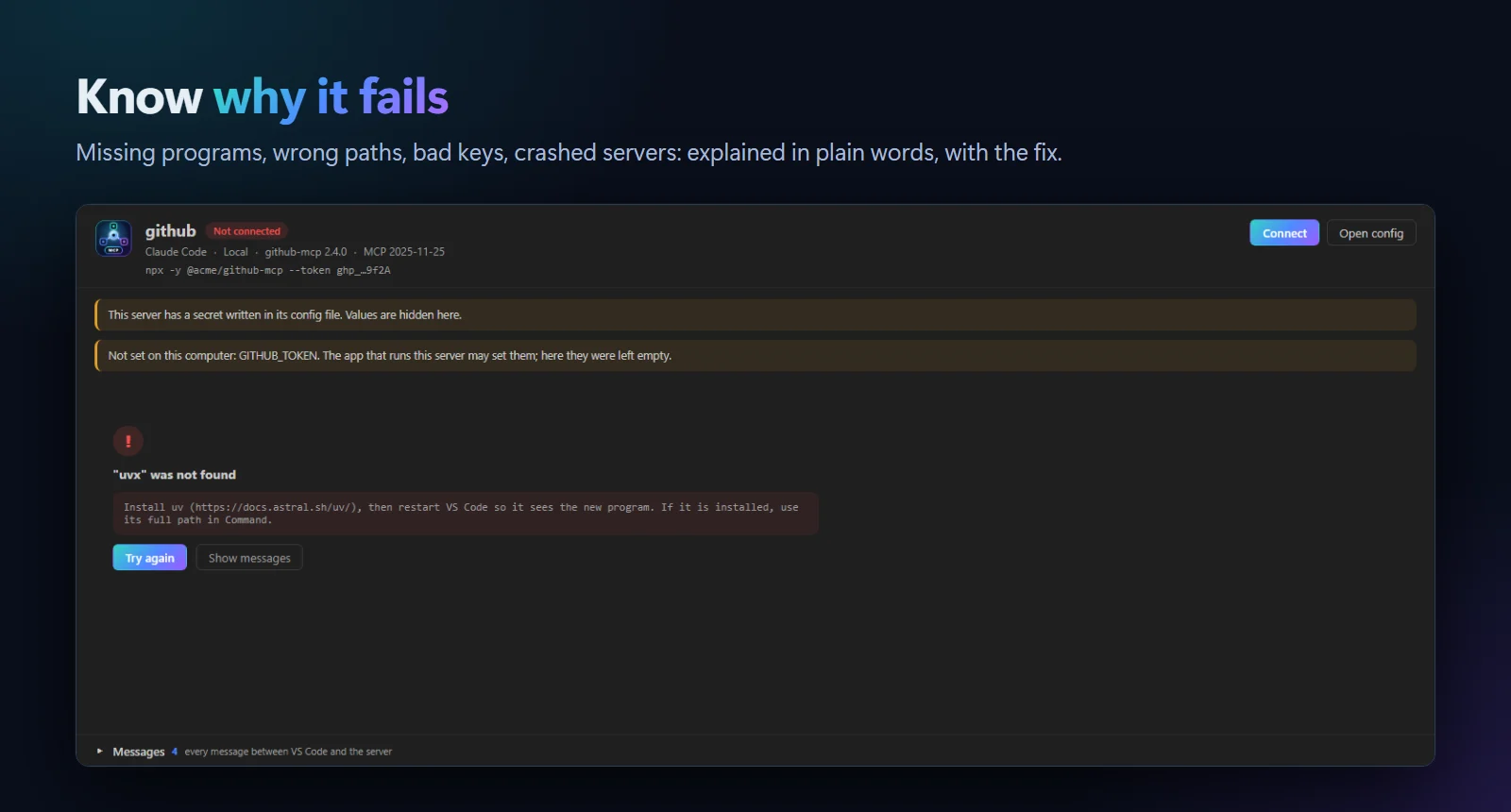
"uvx was not found: install uv, then restart VS Code." Missing programs, wrong packages, crashes and bad keys, explained.
Move a server from Cursor to Claude Code in one step. Each app’s format and variable syntax is converted for you.
Comments and other settings in your files are kept, and a backup is made before every change.
Tokens and keys are hidden everywhere, and you are warned before a secret lands in a project file that git could commit.
.vsix (250 KB).Try it: add Microsoft Learn from the catalog. It needs no key and no install. Coming to the Visual Studio Marketplace soon.
MCP (Model Context Protocol) is an open standard that lets AI assistants use tools. An MCP server gives an assistant like Claude, Copilot or Cursor a new ability, such as reading files, searching documentation, driving a browser or working with GitHub issues.
Yes. It is free and MIT licensed, with no account and no telemetry.
VS Code, Claude Code, Claude Desktop, Cursor and Windsurf, for all projects and for the open project. GitHub Copilot CLI servers are shown too. MCP Studio edits the same config files these apps use, so nothing is duplicated.
Starting a server runs its command on your computer, just like your AI app would, so only add servers you trust. In Restricted Mode (an untrusted folder) MCP Studio does not start any server. It only connects to the servers you start, and never sends your configs anywhere.
Open it in the Inspector or click Test. MCP Studio shows the reason in plain words, such as a program that is not installed, a package name that does not exist, a missing environment variable or a server that crashed, along with everything the server printed.
More for VS Code: Veyra Container Studio for Docker, Veyra API Client, Veyra npm IntelliSense, Veyra Port Manager and Veyra Live Server.
Veyra Studio is a fast, free code editor with Live Server, Python debugging and Veyra AI built in.