 Salesforce Studio
 MCP StudioNew
 API ClientNew
 npm IntelliSenseNew
 Port Manager
 Live Server
One sidebar
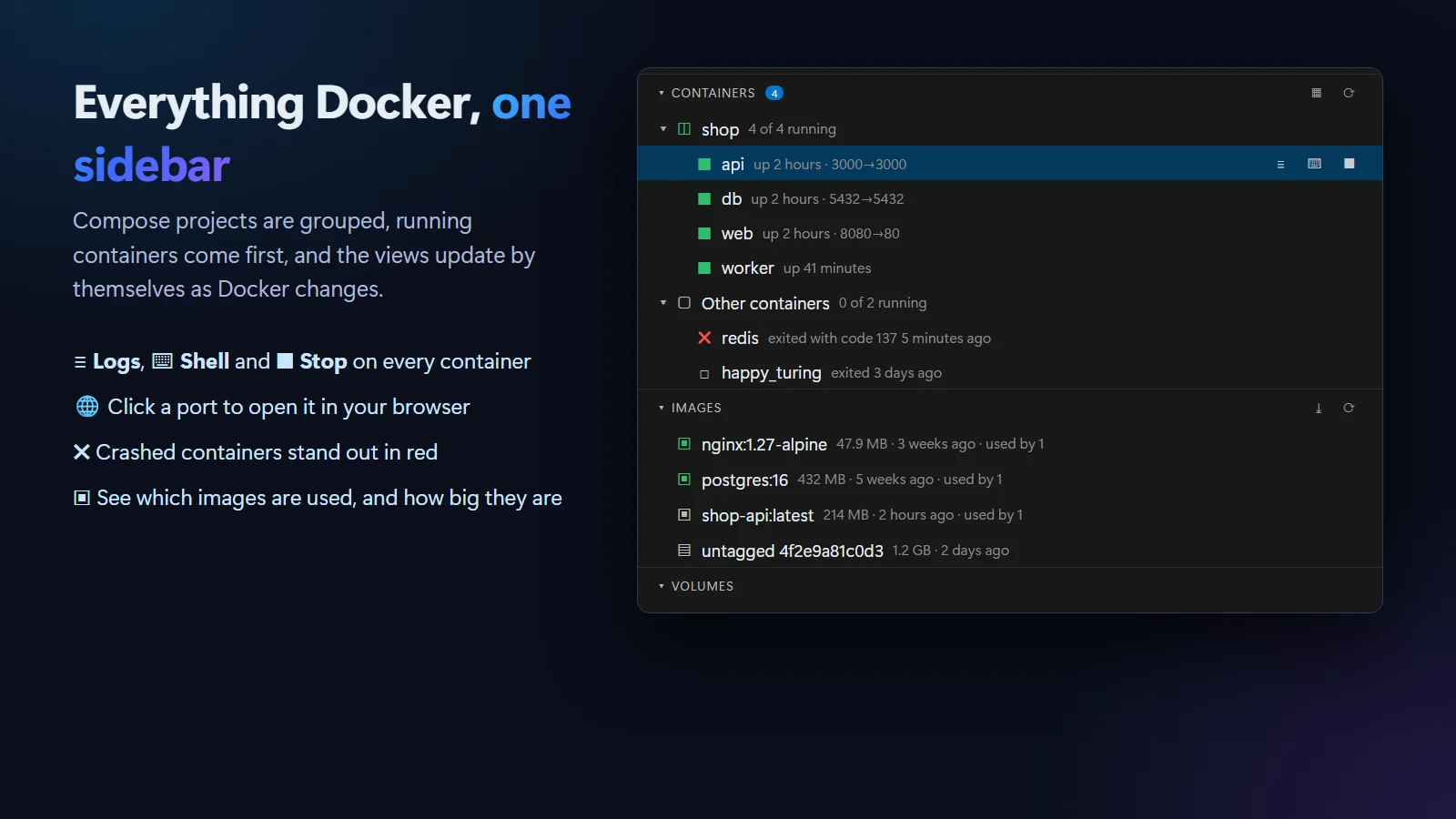
Containers, images, volumes and networks, with Compose projects grouped and running containers first. It updates by itself as Docker changes.
 VeyraSTUDIO
Docker in VS Code, made easy.
See and control your containers, images, volumes and Docker Compose projects without leaving your editor. Live logs, a shell, CPU and memory, one-click cleanup, and Build and Compose Up buttons right in your files. Free, with no account.
flightcoders.veyra-docker · v1.0.0 · Free · MIT · Windows, macOS, Linux
Containers, images, volumes and networks, with Compose projects grouped and running containers first. It updates by itself as Docker changes.
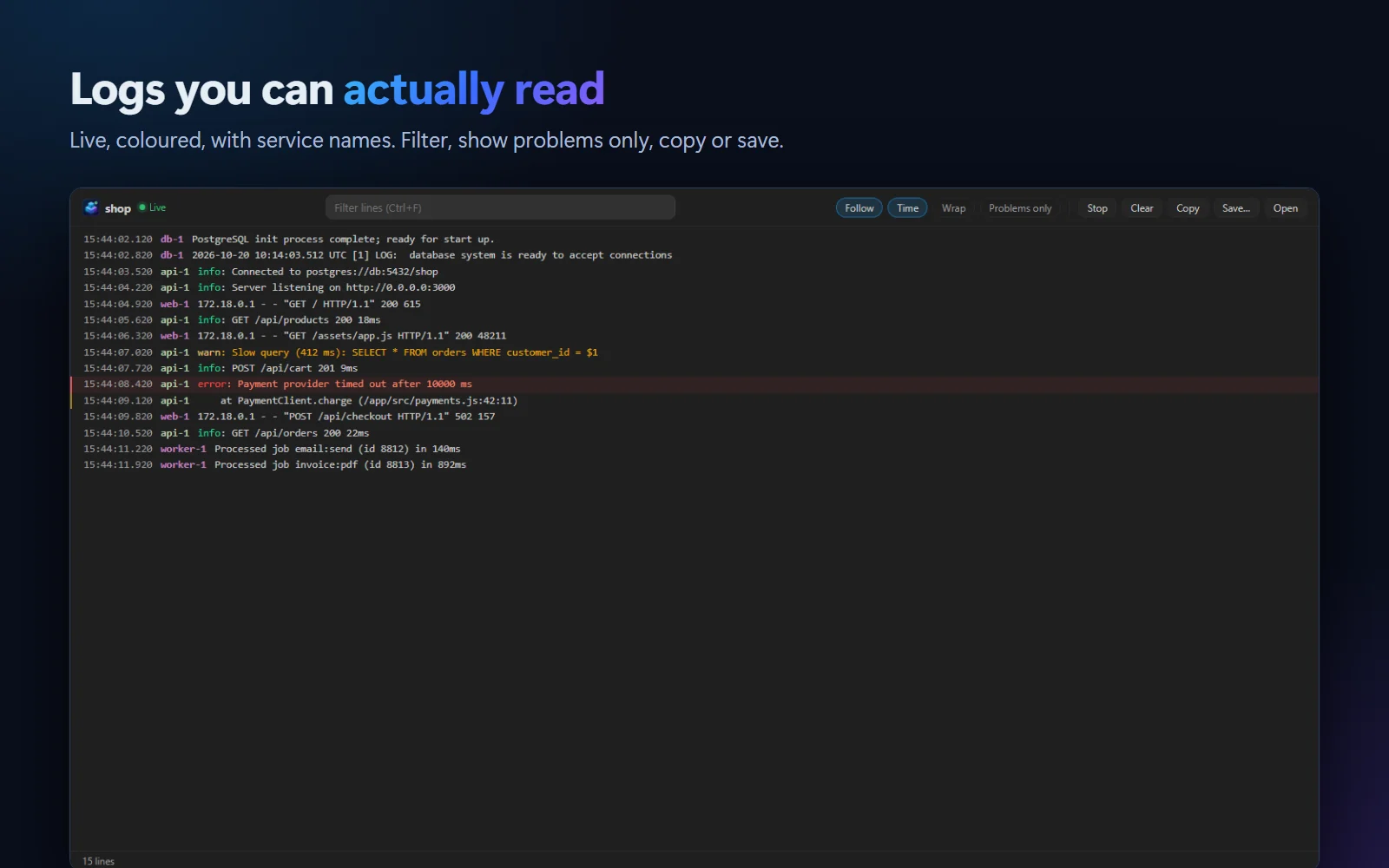
For one container or a whole Compose project, with service colours, filtering, timestamps and a Problems only switch. Copy or save them.
Open a shell inside any running container in one click, or open its published port straight in your browser.
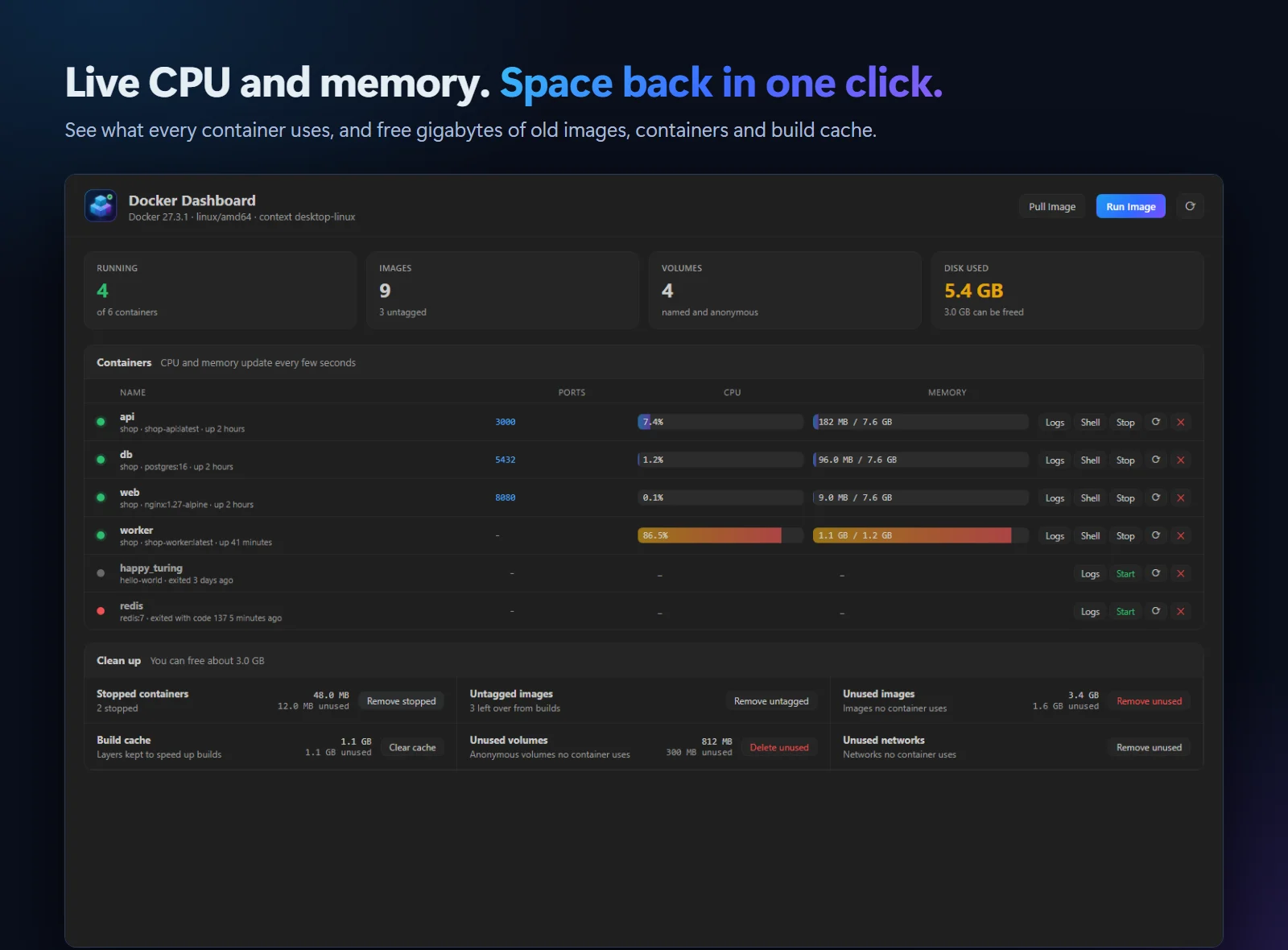
The Dashboard shows what every running container uses, updated every few seconds, with busy ones in orange.
See how much space images, containers and build cache take, and free it in one click. Named volumes are always kept.
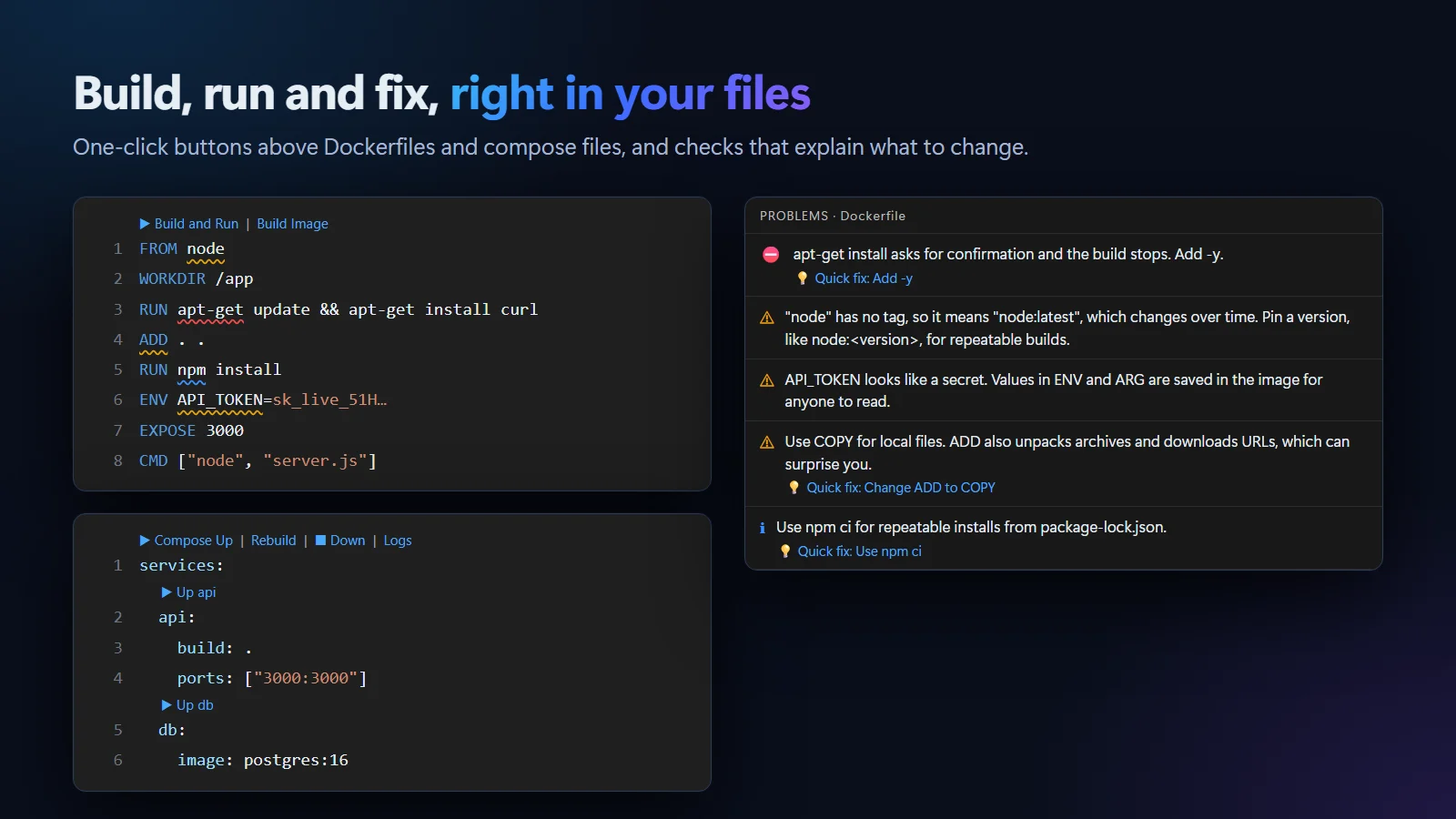
Compose Up, Rebuild, Down and Logs above every compose.yaml, and an Up button above each service.
Above every Dockerfile. Ports from EXPOSE are published for you, so EXPOSE 3000 opens on localhost:3000.
Catches unpinned latest tags, apt-get without -y, secrets in ENV, ADD instead of COPY, running as root and more, with quick fixes.
"Port 8080 is already in use." "Docker is not running", with a button that starts Docker Desktop.
.vsix (95 KB).Try it: open a project with a compose.yaml and click ▶ Compose Up. Coming to the Visual Studio Marketplace soon.
Yes. It is free and MIT licensed, with no account and no telemetry.
VS Code 1.85 or newer and Docker: Docker Desktop on Windows and macOS, or Docker Engine on Linux, with Docker Compose v2. Container Studio uses the docker command on your computer, so your current Docker context works too, including remote ones.
It puts the things you check every day in one place: live logs you can filter, CPU and memory per container, disk cleanup that shows what you will free, one-click Compose and Build buttons in your files, Dockerfile checks with fixes, and errors explained in plain words.
Cleanup asks before every step and says what is kept. Volume cleanup only deletes unused anonymous volumes; named volumes, which usually hold databases, are never deleted by it.
In Restricted Mode (an untrusted folder) you can still manage your containers, but building images and starting Compose projects from that folder is turned off, because they run code from it.
More for VS Code: Veyra MCP Studio, Veyra API Client, Veyra Port Manager and Veyra npm IntelliSense.
Docker is a trademark of Docker, Inc. Veyra Container Studio is an independent extension and is not made or endorsed by Docker, Inc.
Veyra Studio is a fast, free code editor with Live Server, Python debugging and Veyra AI built in.