 Salesforce Studio
 Container StudioNew
 MCP StudioNew
 npm IntelliSenseNew
 Port Manager
 Live Server
Every request you need
GET to OPTIONS, with params, headers and a body in JSON, text, XML, form, multipart or GraphQL. Ctrl+Enter sends.
 VeyraSTUDIO
Test any API without leaving VS Code.
Send REST and GraphQL requests, keep them in collections that live in your repo, and switch between Dev, Staging and Production in one click. Free, with no account and no limits.
flightcoders.veyra-api-client · v1.0.0 · Free · MIT · Windows, macOS, Linux
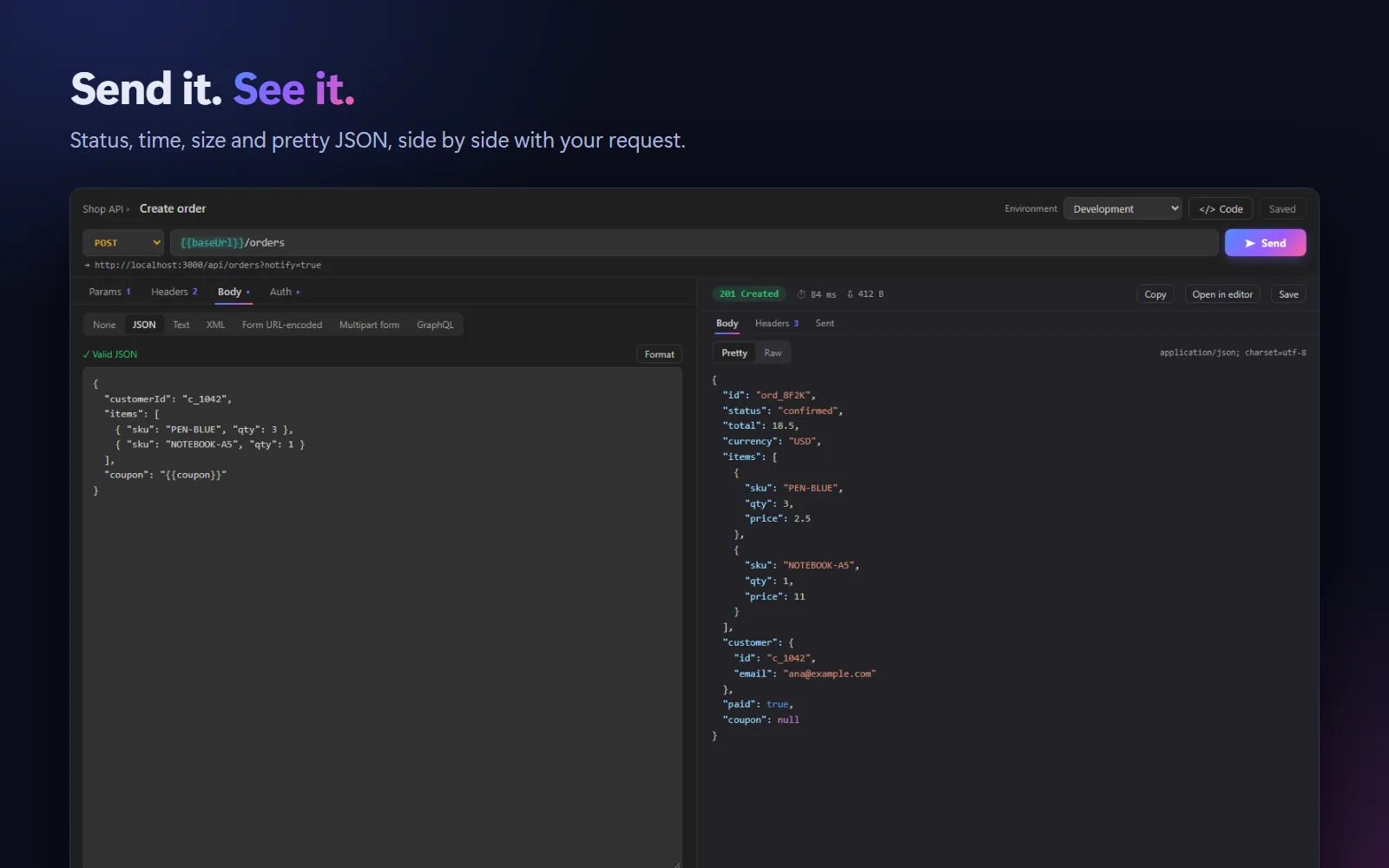
GET to OPTIONS, with params, headers and a body in JSON, text, XML, form, multipart or GraphQL. Ctrl+Enter sends.
Status, time and size at a glance, pretty JSON with colours, HTML and image preview, headers, and the exact request that was sent.
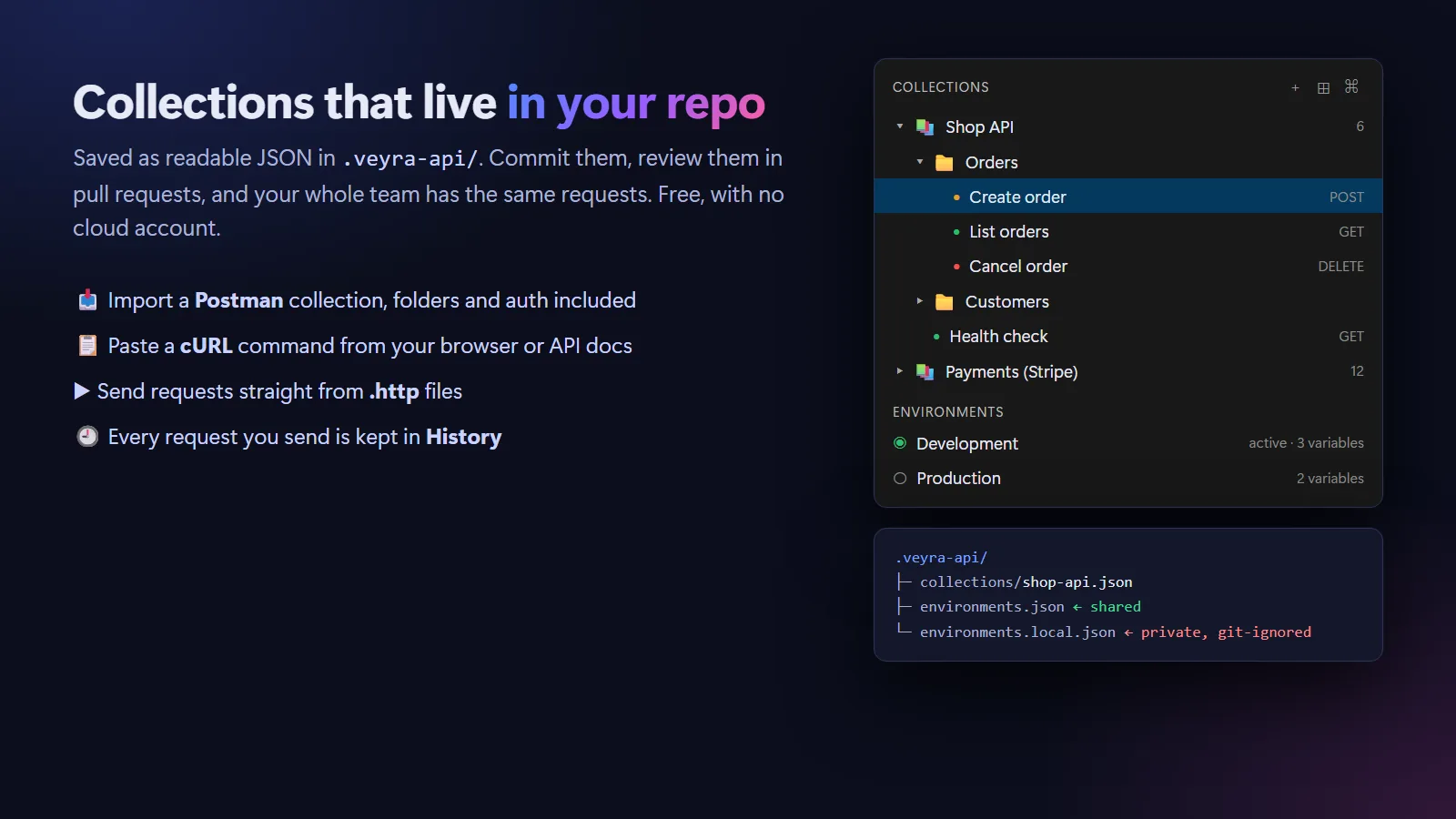
Saved as readable JSON in .veyra-api. Commit them and your team has the same requests, with no paid sync plan.
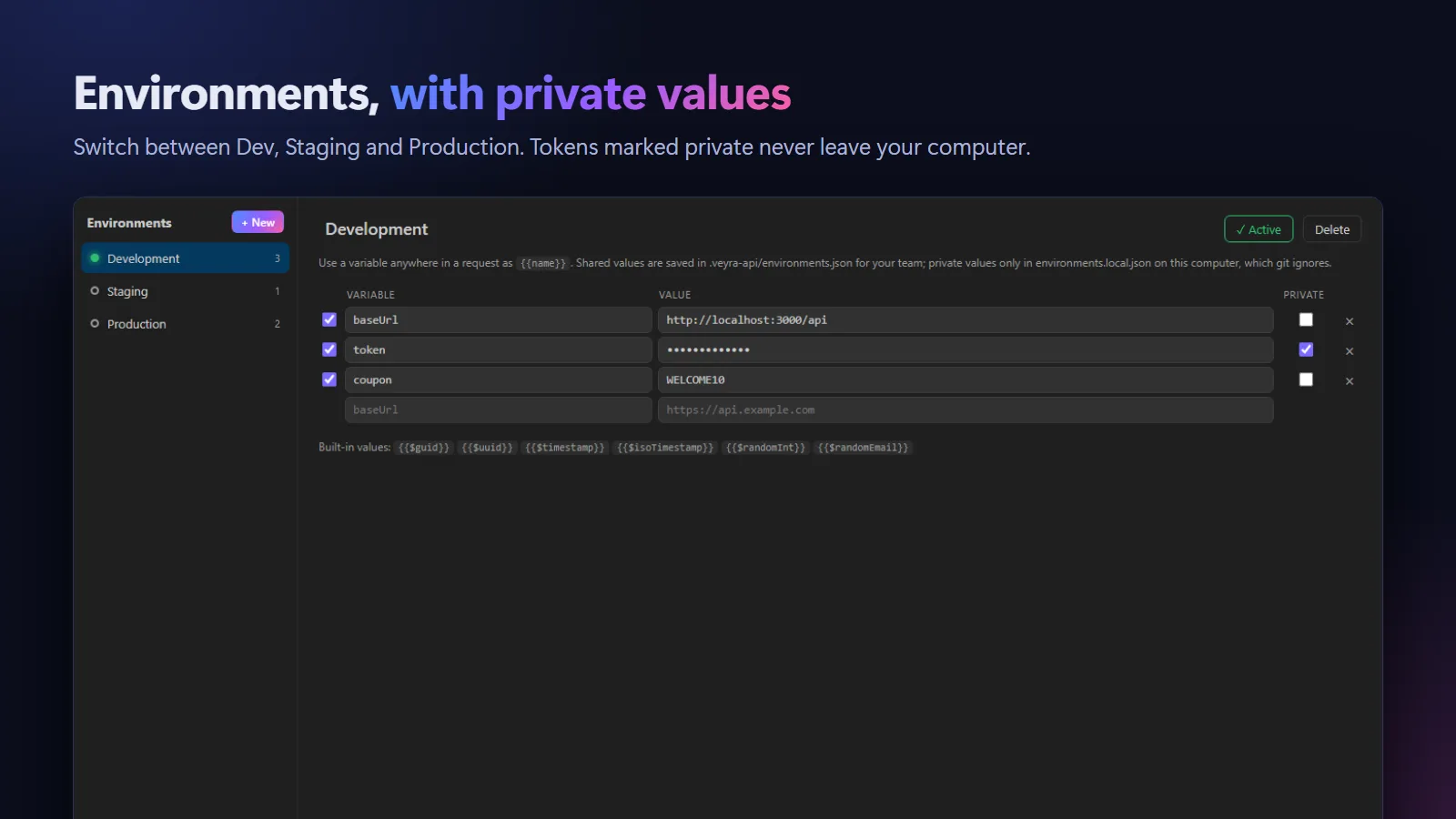
Dev, Staging and Production, used anywhere as {{baseUrl}} or {{token}}. Unknown variables are flagged before you send.
Mark a value Private and it is stored only on your computer, in a file git ignores. Shared values travel with the repo.
Bearer tokens, Basic auth and API keys in a header or query. The right Authorization and Content-Type headers are added for you.
Paste a command from your browser or API docs, or bring a whole Postman collection with folders, auth and variables.
Any request as cURL, JavaScript fetch or Python requests, ready to paste into your app or docs.
Every request you send is kept, ready to reopen or save. Send Request buttons appear in .http and .rest files.
.vsix (100 KB).Try it: send GET https://jsonplaceholder.typicode.com/todos/1. Coming to the Visual Studio Marketplace soon.
Yes. It is free and MIT licensed, with no account, no request limits and no telemetry. Sharing collections through git is free too.
In a .veyra-api folder in your project, as readable JSON: one file per collection, plus environments.json. With no folder open, they are kept in VS Code’s storage on your computer.
Tick Private next to a variable. Its value is saved only in environments.local.json on your computer, which the .veyra-api/.gitignore file excludes. Everyone else sees the variable with an empty value to fill in.
Yes. Export your collection from Postman as Collection v2.1 and choose Import Postman Collection. Folders, headers, bodies, auth and collection variables come across. Any single request can also be pasted as a cURL command.
No. Requests go straight from your computer to the API you call. Nothing passes through Veyra.
More for VS Code: Veyra Container Studio for Docker, Veyra MCP Studio, Veyra npm IntelliSense, Veyra Port Manager and Veyra Live Server.
Veyra Studio is a fast, free code editor with Live Server, Python debugging and Veyra AI built in.