 Salesforce Studio
 Container StudioNew
 MCP StudioNew
 API ClientNew
 npm IntelliSenseNew
 Port Manager
 Live Server
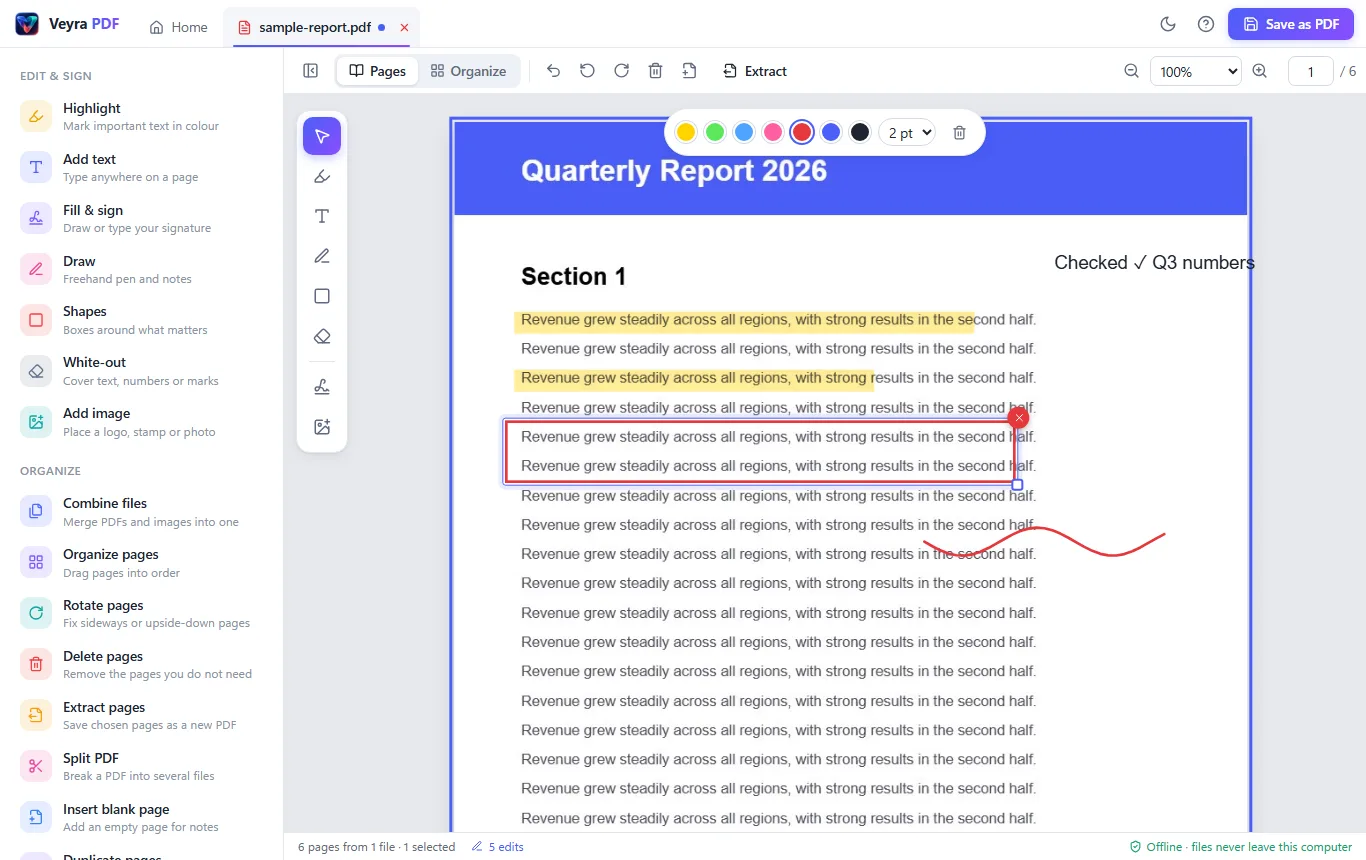
Highlight and add text
Mark what matters in yellow, green, blue or pink, and type anywhere on a page in any size and colour.
 VeyraSTUDIO
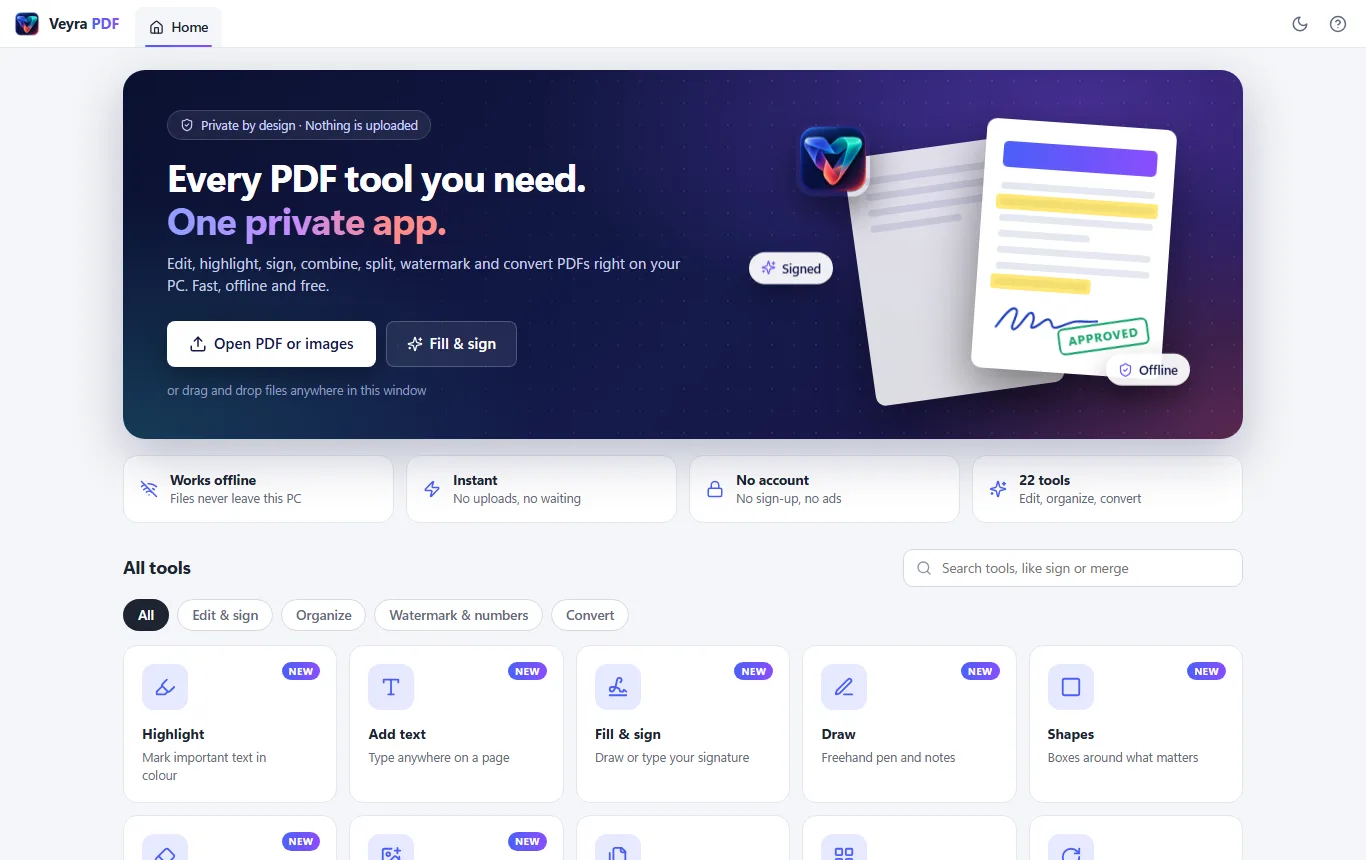
Every PDF tool you need. One private app.
Edit, highlight, sign, merge, split, watermark and convert PDFs right on your PC. Fast, offline and free, with nothing uploaded.
v1.0.0 · Free · Windows 10 and 11 · 2 MB · By Veyra
Mark what matters in yellow, green, blue or pink, and type anywhere on a page in any size and colour.
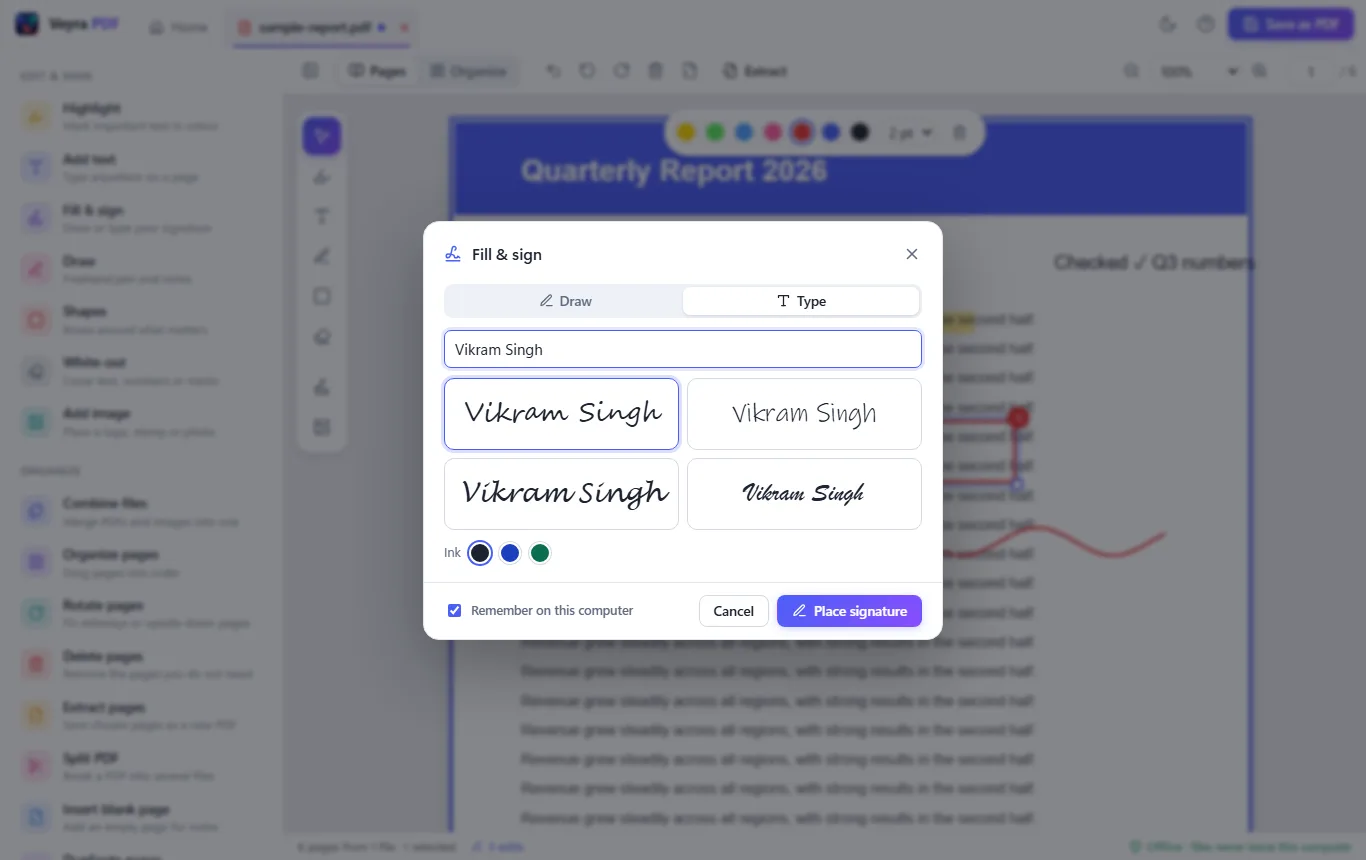
Draw your signature or type it in a handwriting style, then click to place it. Veyra PDF can remember it for next time.
Merge any number of PDFs and JPG or PNG images into one PDF, in the order you choose.
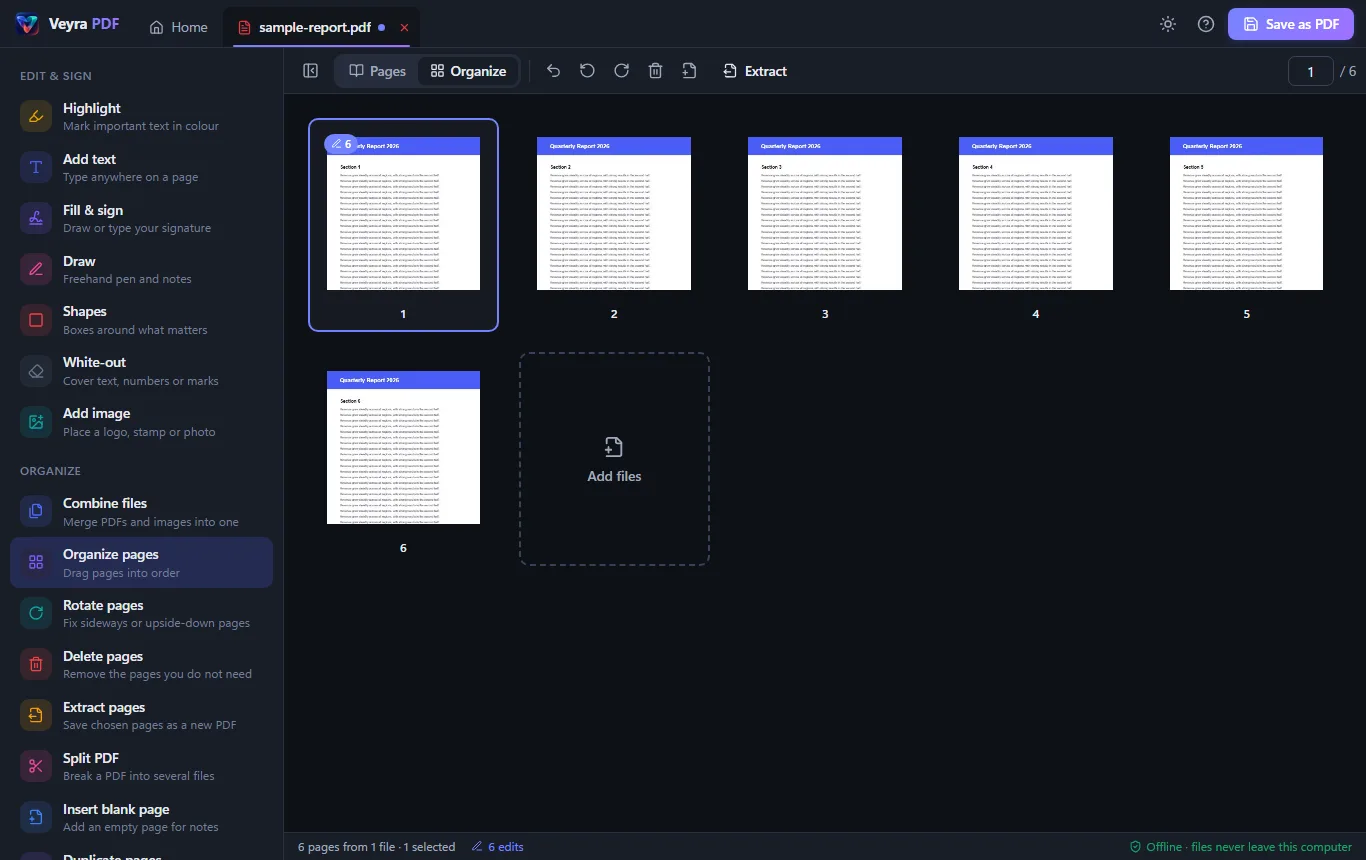
Drag pages into order, rotate, delete, duplicate and insert blank pages. Extract chosen pages or split into several files.
Add CONFIDENTIAL, DRAFT or your own text with a live preview, and number pages like “Page 3 of 12” in any corner.
Lift off watermarks added with a PDF editor, and cover text, numbers or marks with White-out.
Photos and scans to PDF, PDF pages to JPG or PNG, and all the text out to a .txt file.
Your files never leave your PC. There is no account, no upload and no tracking, so private documents stay private.
Pick a tool from the bar beside the page and draw. Highlights, text, boxes, ink, white-out, images and signatures can all be moved, resized and deleted, and Ctrl+Z undoes anything.
Yes. Veyra PDF is free to download and use on Windows 10 and 11, with no account, no ads and no watermark on your files.
No. Unlike online PDF tools, Veyra PDF does all its work on your computer. Your PDFs are never uploaded, so bank statements, contracts and ID documents stay on your PC.
Yes. Choose Fill & sign, draw your signature with the mouse or a pen, or type your name and pick a handwriting style, then click on the page to place it. You can move and resize it before saving.
It removes watermarks that were added with a PDF editor such as Acrobat, Word or Veyra PDF. A watermark that is part of a scanned image cannot be lifted off; cover it with White-out instead. Only change documents you own or have permission to edit.
You can cover existing text with White-out and type new text on top. Changing the original words in place is on the roadmap.
Yes. The direct download is not yet signed with a Microsoft certificate, so SmartScreen may warn the first time. Choose More info, then Run anyway. The Microsoft Store version, once listed, installs without the warning.
More from Veyra: Salesforce Studio, Veyra Live Server and Veyra Port Manager.
Veyra PDF is a product of Veyra / Flightcoders. See the Privacy Policy.
Veyra Studio is a fast, free code editor with Live Server, Python debugging and Veyra AI built in.