 Salesforce Studio
 npm IntelliSense
 Path IntelliSense
 Todo Tree
 Auto Rename Tag
 Live Server
 Port Manager
 API Client
 Container Studio
 Query Lens
 MCP Studio
 Env
Env Document Viewer
 Git Graph
 CodeSnap
 Pets
PetsRight on the line
Each error and warning appears at the end of its line, coloured by severity, with “+2 more” when a line has several.
 VeyraSTUDIO
See every problem right where it is.
Errors and warnings appear at the end of their lines, the line is gently tinted, and the problem under your cursor shows in the status bar. No more hovering over squiggles.
flightcoders.veyra-error-lens · v1.0.0 · Free · MIT · Windows, macOS, Linux
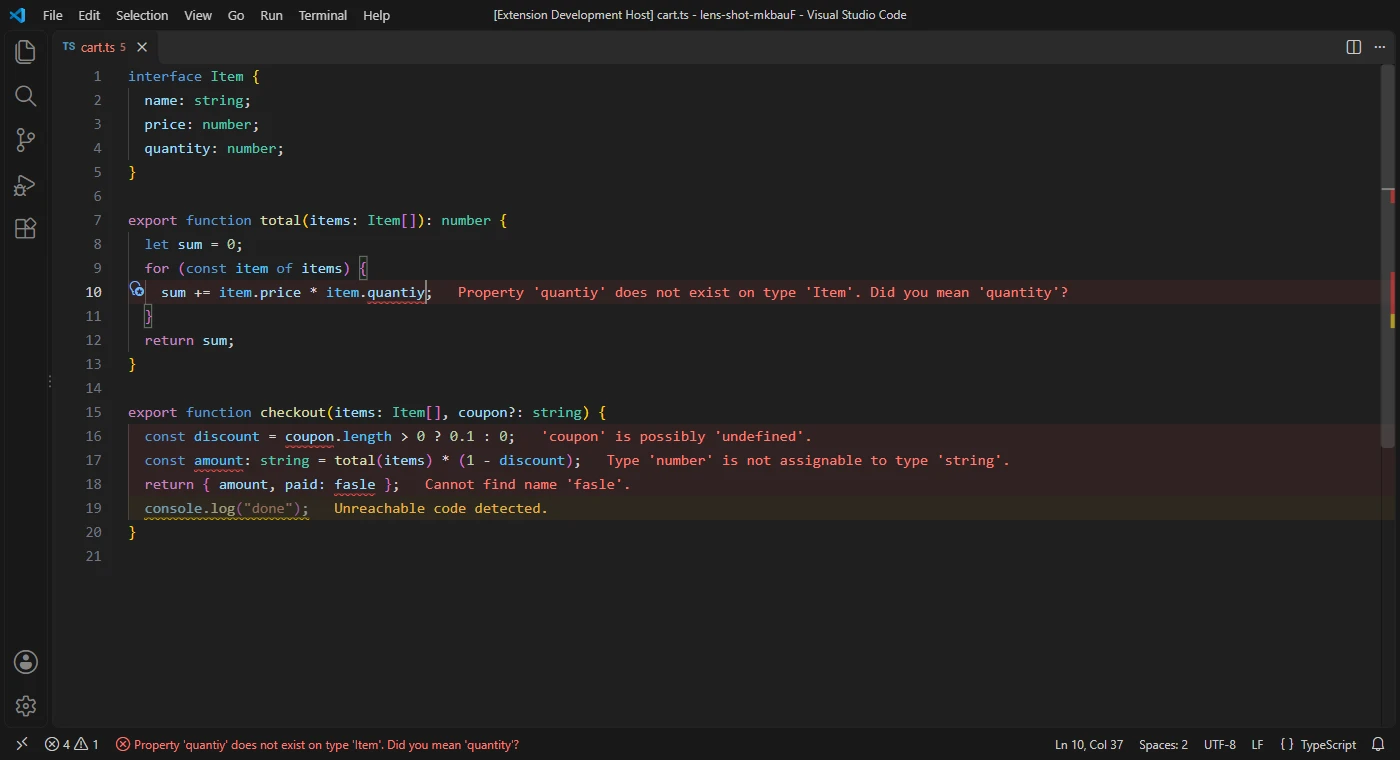
Each error and warning appears at the end of its line, coloured by severity, with “+2 more” when a line has several.
The line is gently tinted, and every colour comes from your theme, light or dark. Change them like any theme colour.
The status bar shows the problem on the line you’re on, with every problem on that line in its tooltip.
The line you’re editing waits until you pause, so half-typed code doesn’t flash red.
Pick severities, hide noisy sources like spell checkers, or skip messages that match a pattern.
Show every problem, only the cursor’s line, or only the problem nearest the cursor.
Copy every problem on a line, or search the web for it without your local file paths.
TypeScript, Python, ESLint, C#, Go, Rust, spelling: whatever VS Code checks, Error Lens Veyra shows.
It runs no checks of its own, so it adds no load, and nothing is sent anywhere.
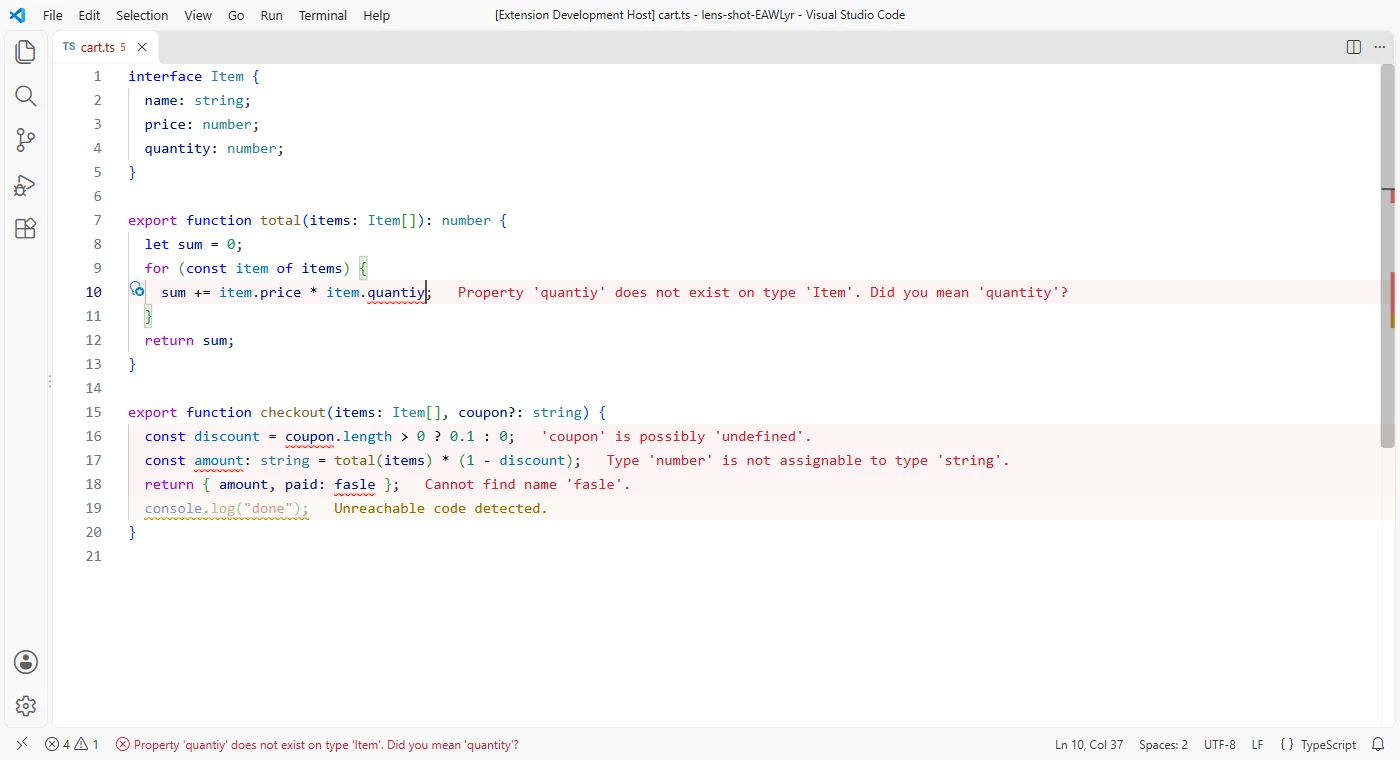
Too much at once? Run Error Lens Veyra: Show or Hide Warnings to focus on errors.
Yes. Error Lens Veyra is free and MIT licensed, with no account and no telemetry.
Yes. It shows the problems VS Code already knows about, from any language extension or linter: TypeScript, Python, ESLint, C#, Go, Rust, spell checkers and more.
Turn warnings or info off with one command, hide a source like cSpell, show only the cursor’s line, or skip messages that match a regular expression.
No. By default the line you’re typing on waits until you pause before its message comes back. You can also wait for a pause to update everything.
It is an independent extension, written from scratch, with a calm typing mode, the cursor’s problem in the status bar and a privacy-friendly web search.
More for VS Code: Auto Rename Tag Veyra, Todo Tree Veyra, Path IntelliSense Veyra and Veyra npm IntelliSense. Or browse all 16 Veyra extensions.
Veyra Studio is a fast, free code editor with Live Server, Python debugging and Veyra AI built in.