 Salesforce Studio
 npm IntelliSense
 Path IntelliSense
 Error Lens
 Auto Rename Tag
 Live Server
 Port Manager
 API Client
 Container Studio
 Query Lens
 MCP Studio
 Env
Env Document Viewer
 Git Graph
 CodeSnap
 Pets
PetsOne tree for everything
Every TODO, FIXME, BUG, HACK, XXX and NOTE, grouped by folder and file, with a count on the icon.
 VeyraSTUDIO
Every TODO in your project, in one tree.
Find every TODO, FIXME, BUG, HACK and NOTE in your comments, grouped by file or by tag. Click one to jump to it, see who it's for, and copy them all as a checklist.
flightcoders.veyra-todo-tree · v1.0.0 · Free · MIT · Windows, macOS, Linux
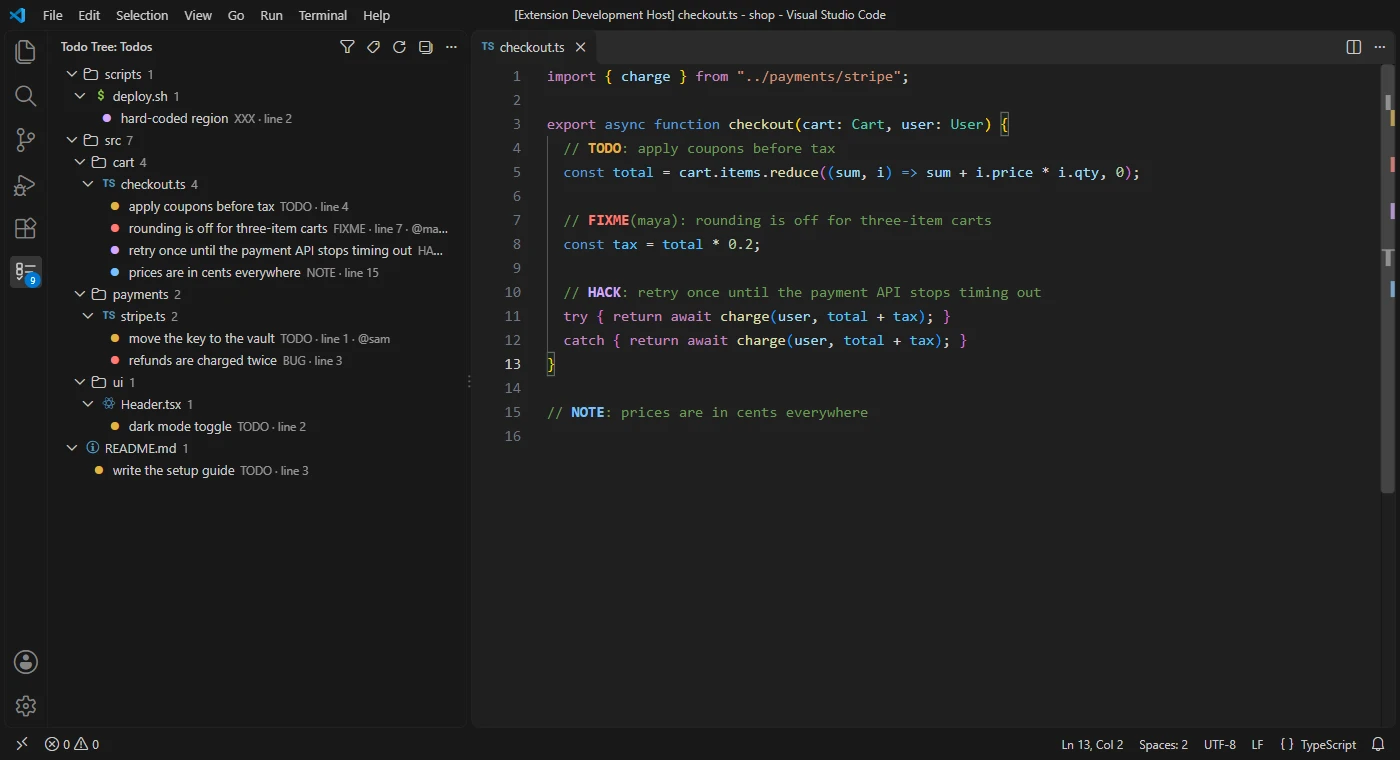
Every TODO, FIXME, BUG, HACK, XXX and NOTE, grouped by folder and file, with a count on the icon.
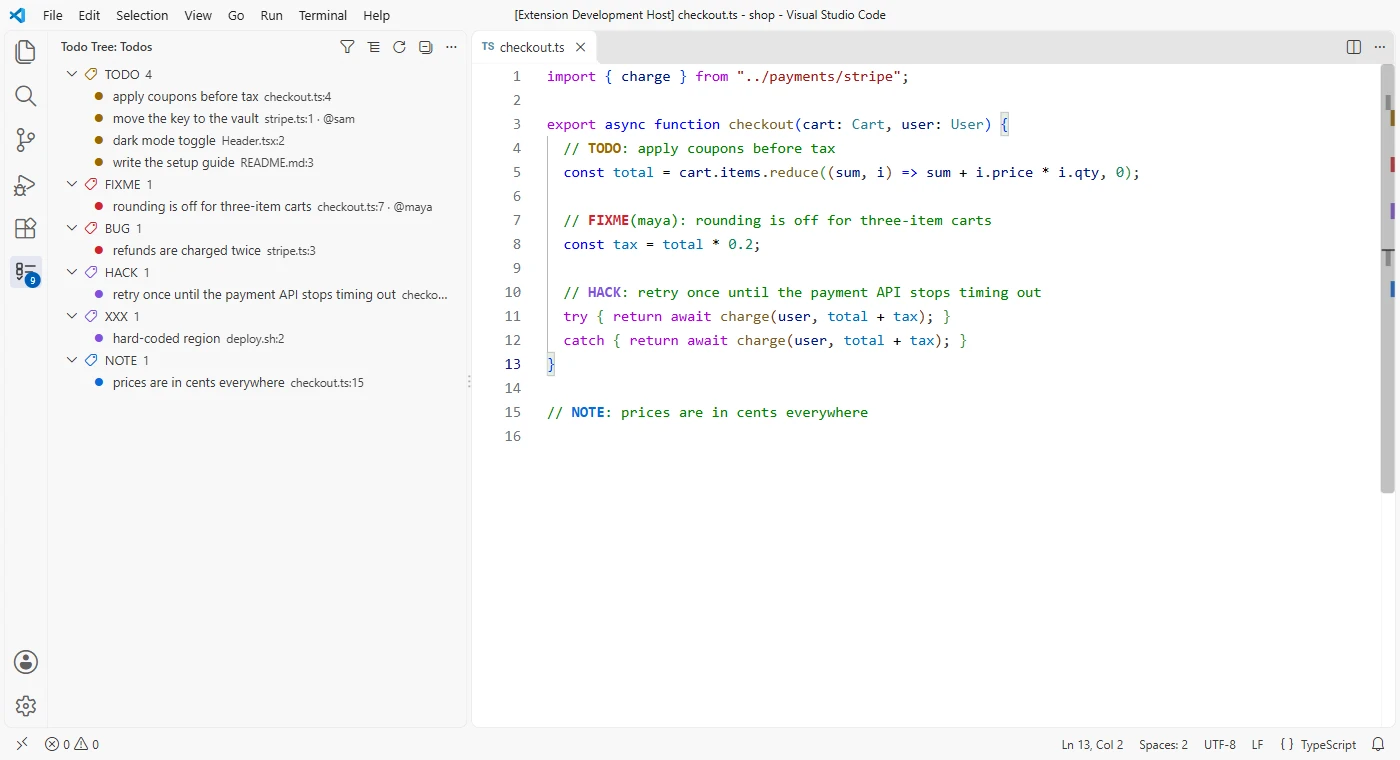
Switch to see all the FIXMEs together, then all the TODOs, with the file and line next to each.
Tags are coloured in the editor and the scroll bar: amber TODO, red FIXME and BUG, purple HACK, blue NOTE.
TODO(@sam) shows @sam next to it. Filter by a name to see just your own.
Show only what matches a word, a tag, an owner or a folder, like login, FIXME, @sam or src/api.
Every tag as a Markdown checklist with files and lines, ready for an issue or a pull request.
New tags show up as you type, before you save, and when files are added or deleted.
Comments in JavaScript, Python, HTML, SQL, shell, Markdown task lists and many more.
It reads files through VS Code, so it works in remote and web workspaces, and nothing is sent anywhere.
Pairs well with Error Lens Veyra, which shows problems right on their lines.
Yes. Todo Tree Veyra is free and MIT licensed, with no account and no telemetry.
TODO, FIXME, BUG, HACK, XXX and NOTE, written in capitals at the start of a comment. Add your own, like REVIEW, with the veyraTodo.tags setting.
No. node_modules, dist, build, out, minified files and anything in your files.exclude or search.exclude settings are skipped, and so are big and binary files.
Write them as TODO(@yourname): … and filter the tree by @yourname.
It is an independent extension, written from scratch, with owners, a Markdown checklist export and updates as you type, and nothing extra to install.
More for VS Code: Auto Rename Tag Veyra, Error Lens Veyra, Path IntelliSense Veyra and Veyra npm IntelliSense. Or browse all 16 Veyra extensions.
Veyra Studio is a fast, free code editor with Live Server, Python debugging and Veyra AI built in.