 Salesforce Studio
 EnvNew
 Container StudioNew
 MCP StudioNew
 API ClientNew
 npm IntelliSenseNew
 Port Manager
 Live Server
A lens above every query
Documents read vs returned, time, and the index used, from explain() on your development database. Scans and in-memory sorts are flagged.
 VeyraSTUDIO
See how every MongoDB query performs, right above your code.
Slow queries usually show up in production. Query Lens shows them while you write them: the documents each query reads, the index that fixes it, the indexes nothing uses, and where your Mongoose schemas don't match your data.
flightcoders.veyra-mongodb · v1.0.0 · Free · MIT · Windows, macOS, Linux
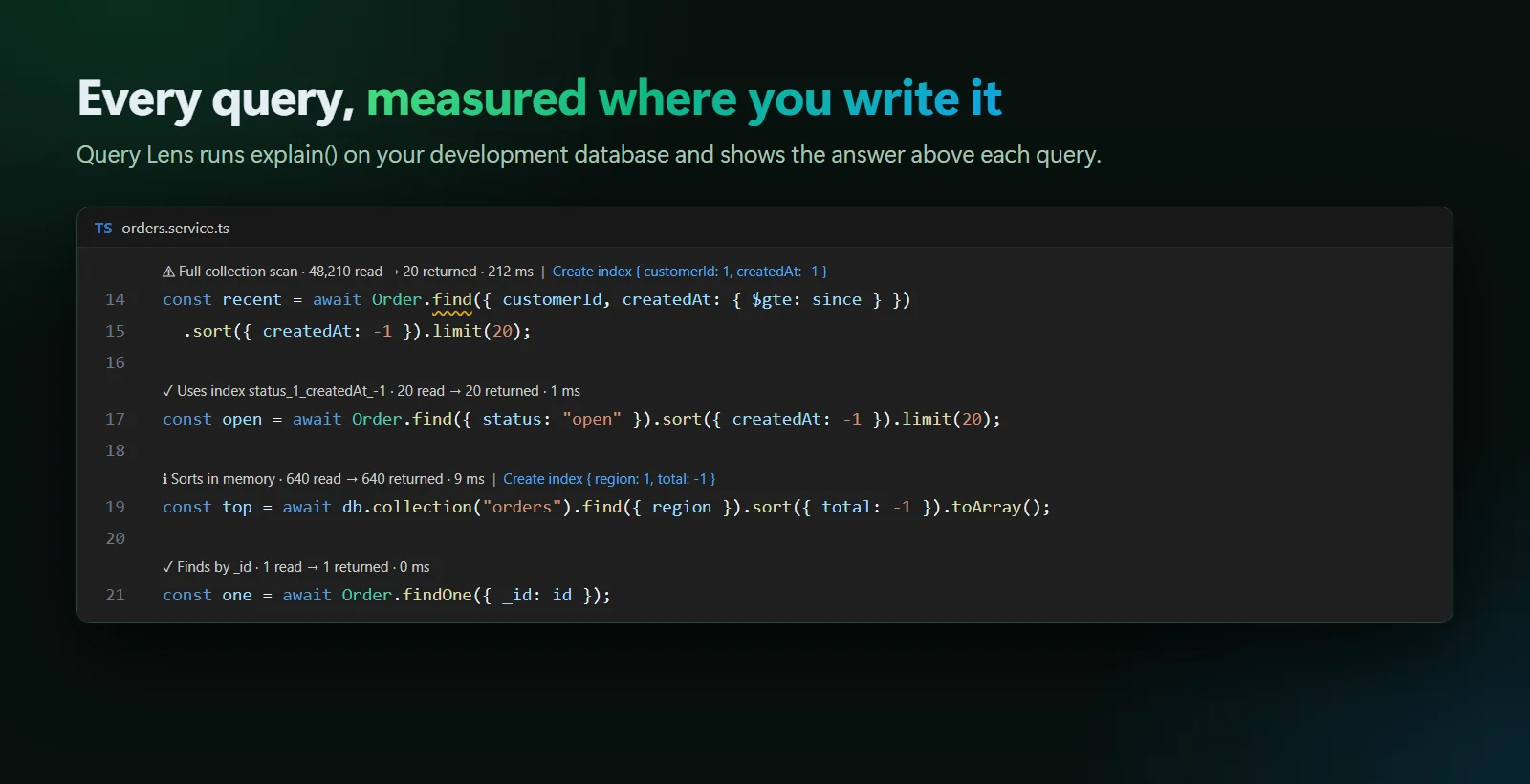
Documents read vs returned, time, and the index used, from explain() on your development database. Scans and in-memory sorts are flagged.
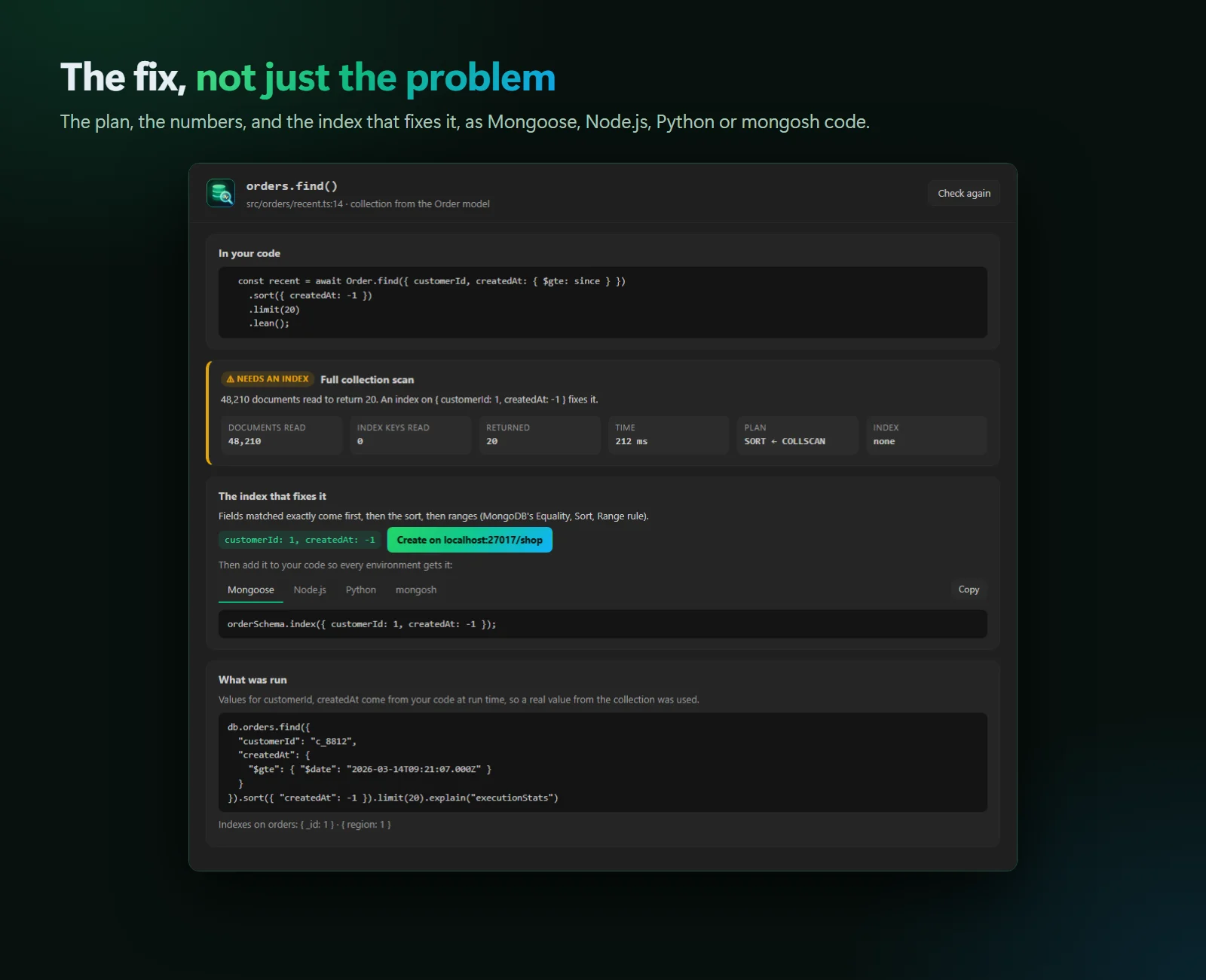
Suggested with MongoDB’s Equality, Sort, Range rule. Create it in one click and watch the lens turn green.
Values your code computes at run time are filled with real values from the collection, so you see the plan your app really gets.
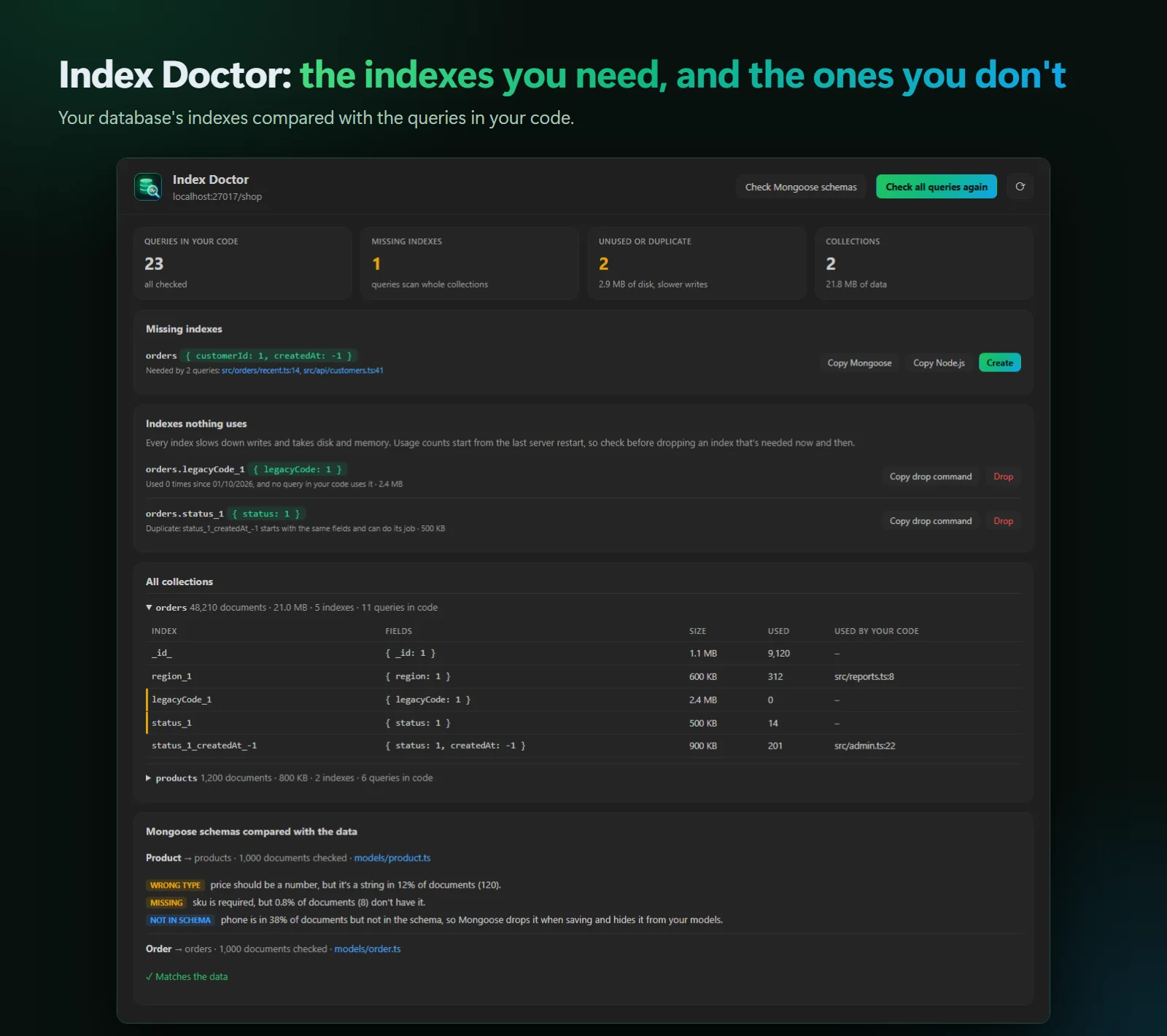
The indexes your code is missing, and the ones nothing uses or that duplicate another, with sizes and use counts.
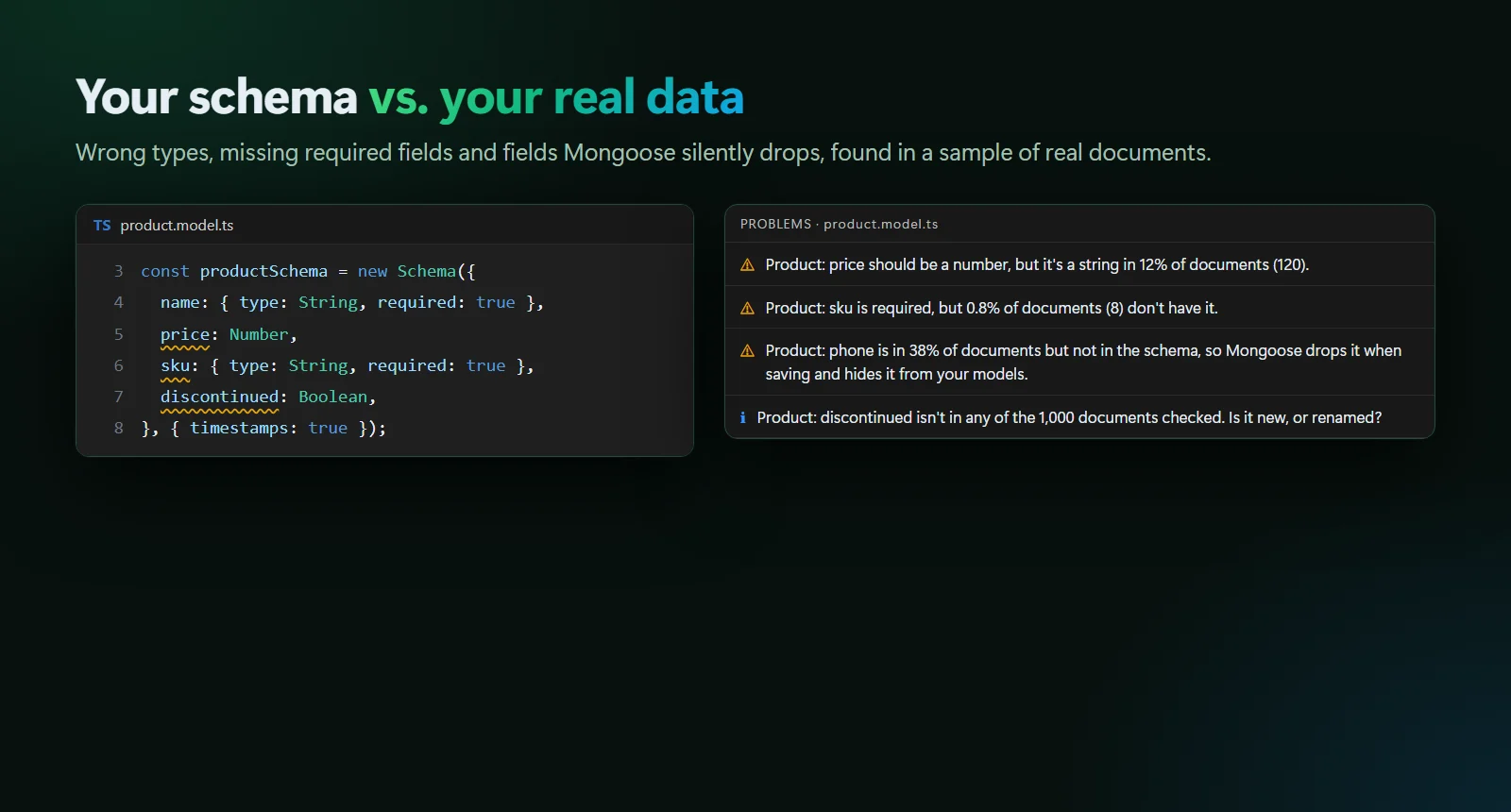
Mongoose schemas compared with real documents: wrong types, missing required fields, and fields Mongoose silently drops.
Slow queries appear in the Problems panel. Ctrl+. creates the index or copies it as code.
The official driver, Mongoose models from any file, PyMongo and Motor, with sorts, limits and aggregation $match stages.
Explain only, with time limits. Nothing changes unless you confirm, and a read-only mode makes changes impossible.
A local MONGODB_URI in .env connects by itself. Connection strings live in VS Code’s secret storage.
.vsix (395 KB).MONGODB_URI in .env it connects by itself; otherwise run MongoDB Lens: Connect to MongoDB….Everything is explained in the User Guide, which also ships inside the extension. Coming to the Visual Studio Marketplace soon.
Yes. Veyra Query Lens is free and MIT licensed, with no account and no telemetry.
It runs explain("executionStats") for the find() each query makes, which reads documents like the query does, with a time limit. Updates and deletes are never run. Indexes are created or dropped only when you click and confirm.
A development database, ideally with realistic data: plans depend on the data. On databases that aren’t on your computer, queries are checked only when you click, and you can turn on read-only mode.
MongoDB for VS Code lets you browse data and run queries in playgrounds. Query Lens works on the queries in your application code: it checks each one where it’s written, suggests the index that fixes it, finds unused indexes, and compares Mongoose schemas with your data. They work well side by side.
Add a comment like // veyra-collection: orders on the line above it.
More for VS Code: Veyra Env, Veyra Container Studio for Docker, Veyra MCP Studio and Veyra API Client.
MongoDB is a trademark of MongoDB, Inc. Veyra Query Lens is an independent extension and is not made or endorsed by MongoDB, Inc.
Veyra Studio is a fast, free code editor with Live Server, Python debugging and Veyra AI built in.