 Salesforce Studio
 npm IntelliSense
 Path IntelliSense
 Error Lens
 Todo Tree
 Live Server
 Port Manager
 API Client
 Container Studio
 Query Lens
 MCP Studio
 Env
Env Document Viewer
 Git Graph
 CodeSnap
 Pets
PetsAs you type
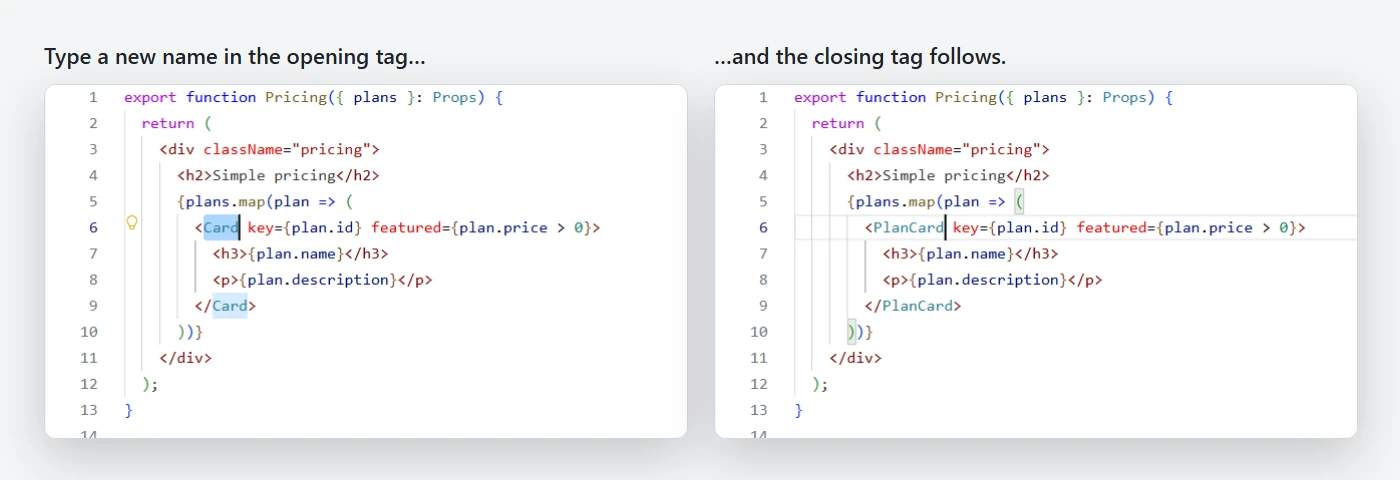
Add, delete or replace letters in either tag, and the other one keeps up, letter by letter.
 VeyraSTUDIO
Rename one tag, and its pair follows.
Change <div> to <section> and the closing tag changes with it, as you type. In HTML, React, Vue, Svelte, Astro, XML and PHP.
flightcoders.veyra-auto-rename-tag · v1.0.0 · Free · MIT · Windows, macOS, Linux
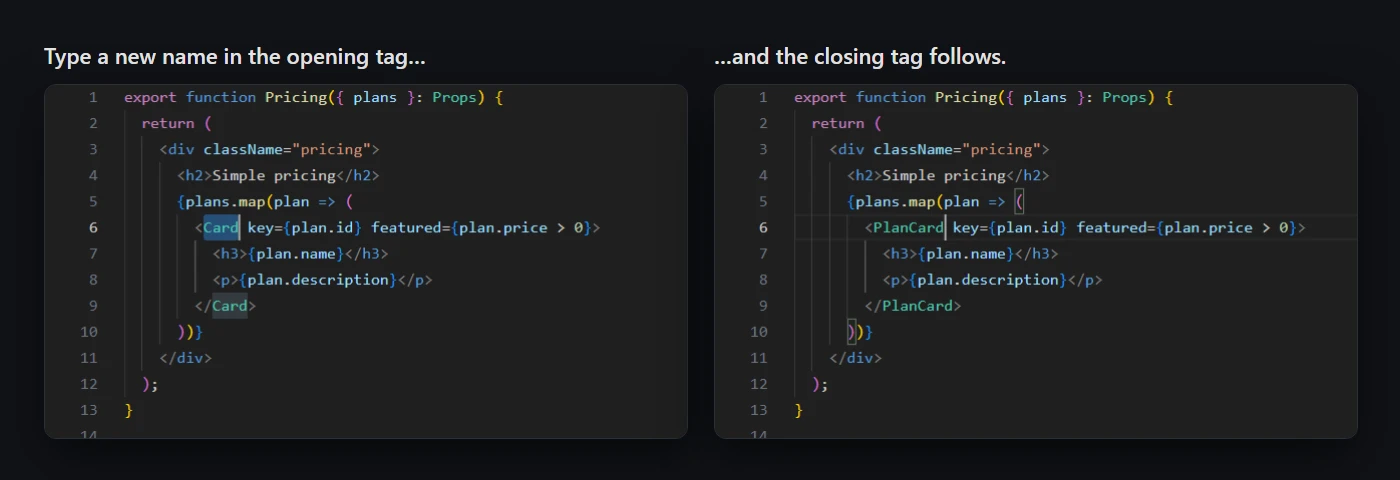
Add, delete or replace letters in either tag, and the other one keeps up, letter by letter.
A <div> inside a <div> inside a <div>: the right closing tag is always the one that changes.
Components like <Foo.Bar>, attributes like onClick={() => a > b}, and fragments that become elements.
HTML, React, Vue, Svelte, Astro, XML, PHP, Razor, Blade, Twig, Liquid and more.
Each undo takes both tags back together, so they never end up mismatched.
With VS Code’s own linked editing on, tags are renamed once, not twice.
Attributes, self-closing tags, invalid names, comparisons and multiple cursors are left alone.
Tags inside comments, CDATA and <script> blocks are never mistaken for the real pair.
16 KB, nothing to set up, and nothing sent anywhere.
Pairs well with Veyra Live Server, which shows your page in the browser as you save.
Yes. Auto Rename Tag Veyra is free and MIT licensed, with no account and no telemetry.
HTML, XML, SVG, React (JSX and TSX, including .js files), Vue, Svelte, Astro, PHP, Razor, Blade, Twig, Jinja, Liquid, Handlebars, Markdown and MDX. Add more with the veyraRename.languages setting.
VS Code’s linked editing does it for HTML when you turn it on. Auto Rename Tag Veyra also works in JSX, Vue, Svelte and the other templates, and the two work fine together.
Both tags go back together. Each undo step keeps the opening and closing tags in step.
It is an independent extension, written from scratch, that understands JSX attributes, fragments, comments and script blocks.
More for VS Code: Todo Tree Veyra, Error Lens Veyra, Path IntelliSense Veyra and Veyra npm IntelliSense. Or browse all 16 Veyra extensions.
Veyra Studio is a fast, free code editor with Live Server, Python debugging and Veyra AI built in.