 Salesforce Studio
 JetBrains pluginsNew
 Code Guard
 Auto Rename Tag
 Todo Tree
 Error Lens
 Path IntelliSense
 npm IntelliSense
 Blast Radius
 Query Lens
 Container Studio
 API Client
 Port Manager
 Live Server
 Rewind
 CodeSnap
 Git Graph
 Document Viewer
 Env
 MCP Studio
 Code Garden
 Wrapped
 Pets
Your whole codebase, at a glance
Every file is a tile, sized by its code and coloured by risk. Zoom into any folder, filter by name, hover for the details.
 VeyraSTUDIO

A living heat map of your codebase.
Some files cause most of the trouble: they're complicated and they change all the time. Hotspots reads your project's own git history, finds them, and shows your whole codebase as one heat map, with who knows each file and which files secretly change together.
flightcoders.veyra-hotspots · v1.0.0 · Free · MIT · Windows, macOS, Linux
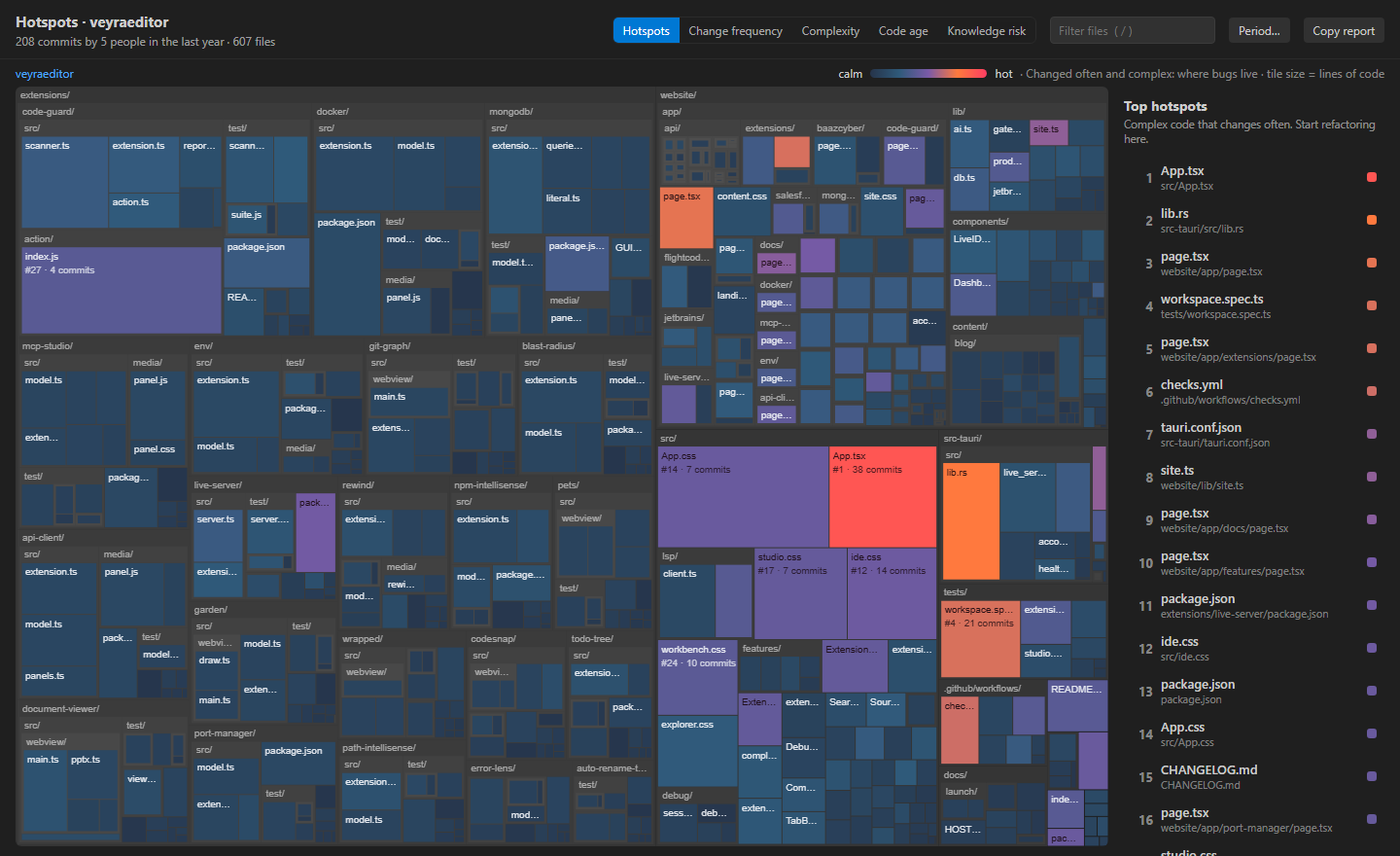
Every file is a tile, sized by its code and coloured by risk. Zoom into any folder, filter by name, hover for the details.
The files to refactor first: complex code that changes all the time, with the reason spelled out for each.
Pairs that keep landing in the same commits, often across folders. A hidden dependency, made visible.
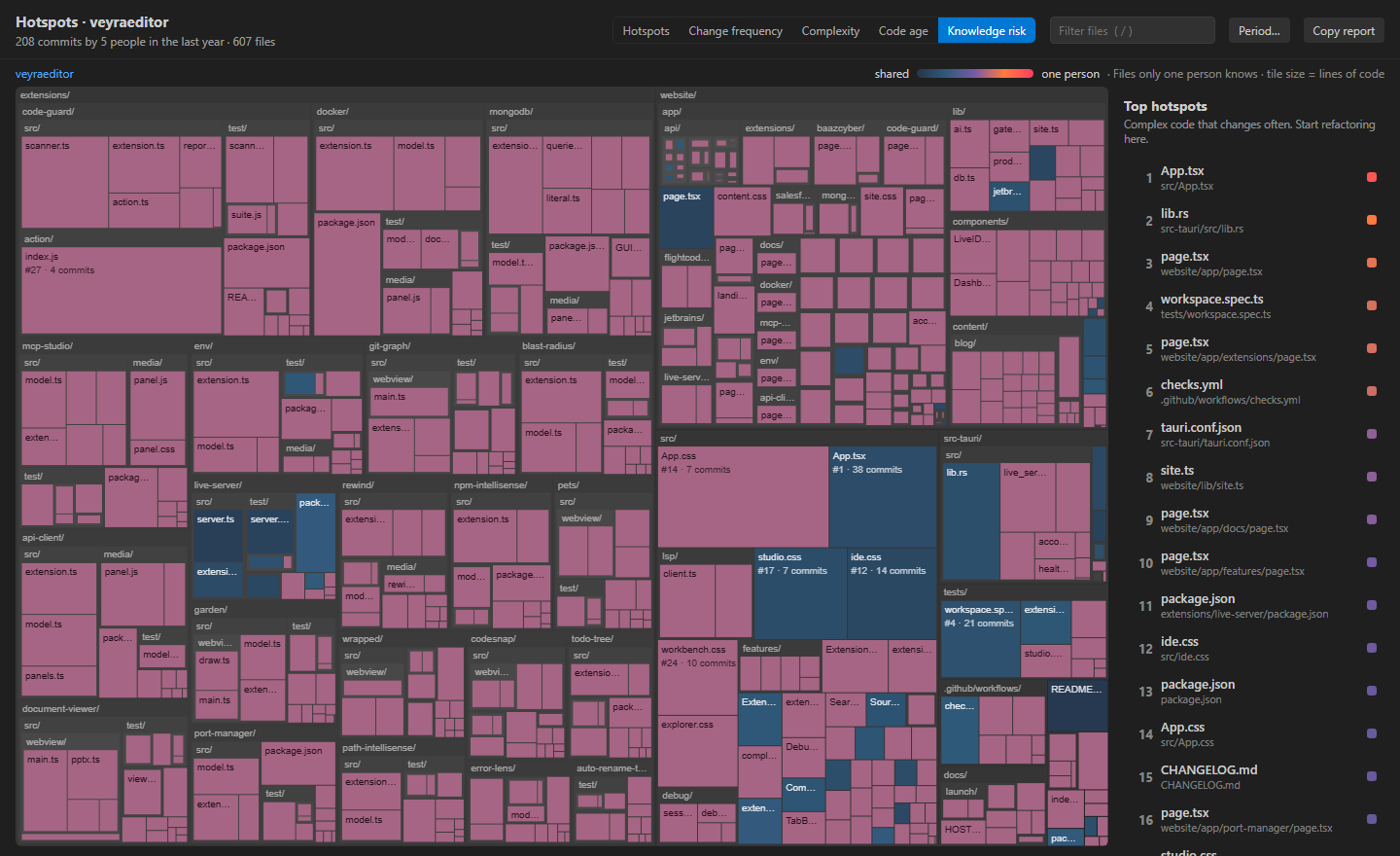
Files only one person has ever changed, and code whose only author has left the project.
Hotspots, change frequency, complexity, code age and knowledge risk, each one click away.
The hottest files get a flame where you already work, and the status bar shows the open file’s rank.
See a file’s recent commits, who made them and what each one changed, without leaving the editor.
Copy the top hotspots, coupled files and knowledge risks as Markdown for a planning meeting or an issue.
It reads your git history and your files, and that is all. No account, no telemetry, nothing sent anywhere.
How often it changed, how deeply it's nested, who knows it best, and the files that always change with it, linked right on the map. This is the real map of the Veyra Studio repository: its #1 hotspot changed in 38 commits last year.
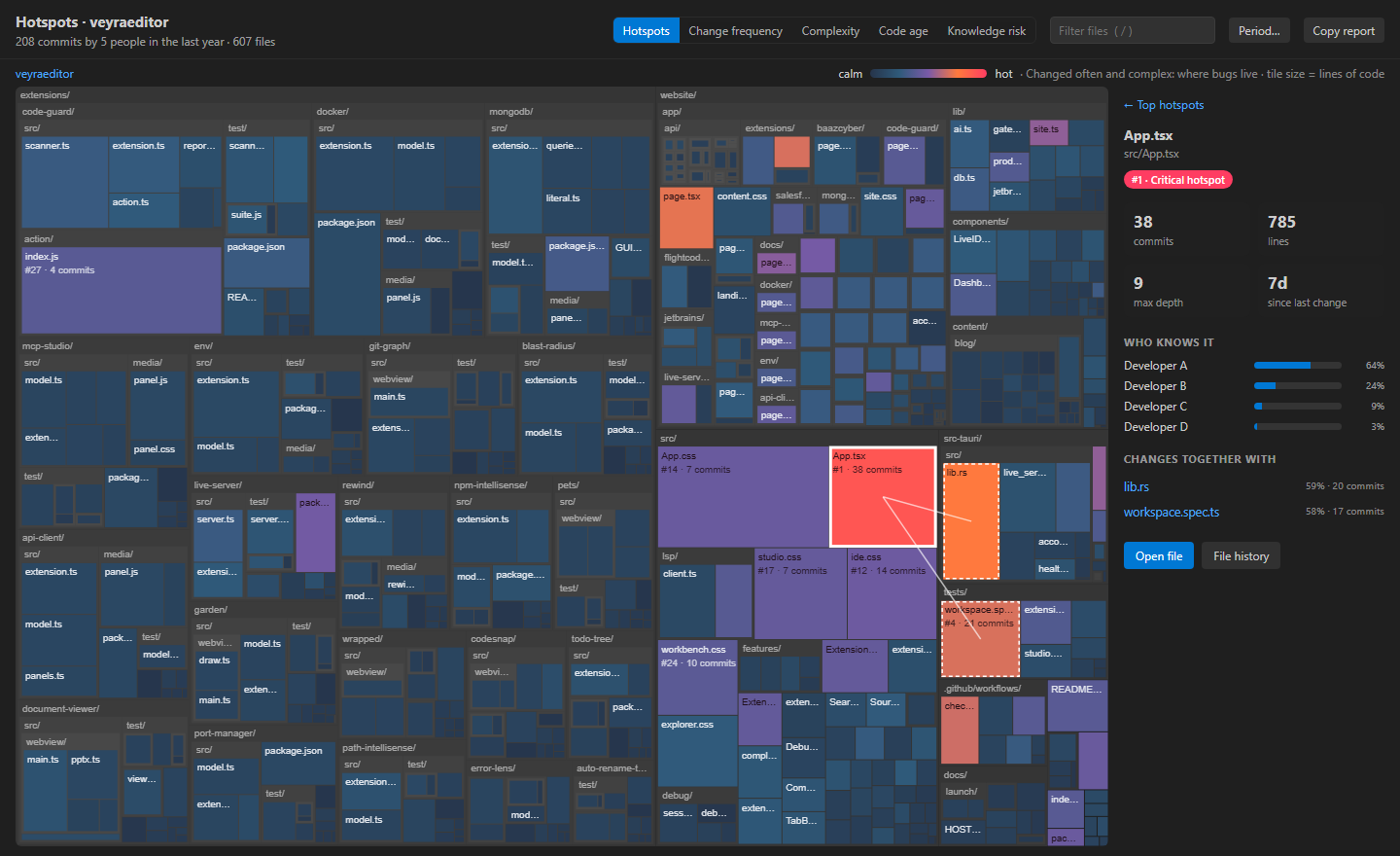
Switch the colours to see what changes most, what's most deeply nested, what nobody has touched in years, or the code only one person understands, before they go on holiday.
Pairs well with Veyra Blast Radius, which shows what a change can break before you commit, and Git Graph Veyra. Using IntelliJ IDEA, Android Studio or PyCharm? Get Hotspots Veyra for JetBrains IDEs.
Yes. Veyra Hotspots is free and MIT licensed, with no account and no telemetry.
A file that is both complex and changed often. Either one on its own is fine: complex code nobody touches is stable, and simple code that changes a lot is easy. Together they are where most bugs and slow reviews come from, so that is where refactoring pays off most.
From the file’s lines of code and how deeply they are indented. Indentation follows nesting (ifs inside loops inside callbacks) in every language, so it works the same for TypeScript, Python, Go, Rust, Java, C# and the rest.
Two files that shared at least 4 commits, and changed together at least 40% of the time. Huge commits like formatting runs and mass renames are ignored, so the pairs reflect real dependencies.
The last year by default. Choose the last month, 3, 6 or 24 months, or all history. It refreshes after commits, pulls and checkouts.
No. It runs git log on your computer and reads your files locally. Nothing leaves your machine.
More for VS Code: Veyra Rewind, CodeSnap Veyra, Git Graph Veyra and Veyra Document Viewer. Or browse all 22 Veyra extensions.
Veyra Studio is a fast, free code editor with Live Server, Python debugging and Search Everywhere built in.