 Salesforce Studio
 JetBrains pluginsNew
 Code Guard
 Auto Rename Tag
 Todo Tree
 Error Lens
 Path IntelliSense
 npm IntelliSense
 Blast Radius
 Query Lens
 Container Studio
 API Client
 Port Manager
 Live Server
 Hotspots
 Rewind
 CodeSnap
 Git Graph
 Document Viewer
 Env
 MCP Studio
 Code Garden
 Wrapped
 Pets
Your whole codebase, at a glance
Every file is a tile, sized by its code and coloured by risk. Hover for details, click a file for its full story, double-click to open it, click a folder to zoom in.
 VeyraSTUDIO

A living heat map of your codebase. Find the files where bugs live: complex code that changes all the time. A heat map of your codebase from its own git history, with files that change together and code only one person knows.
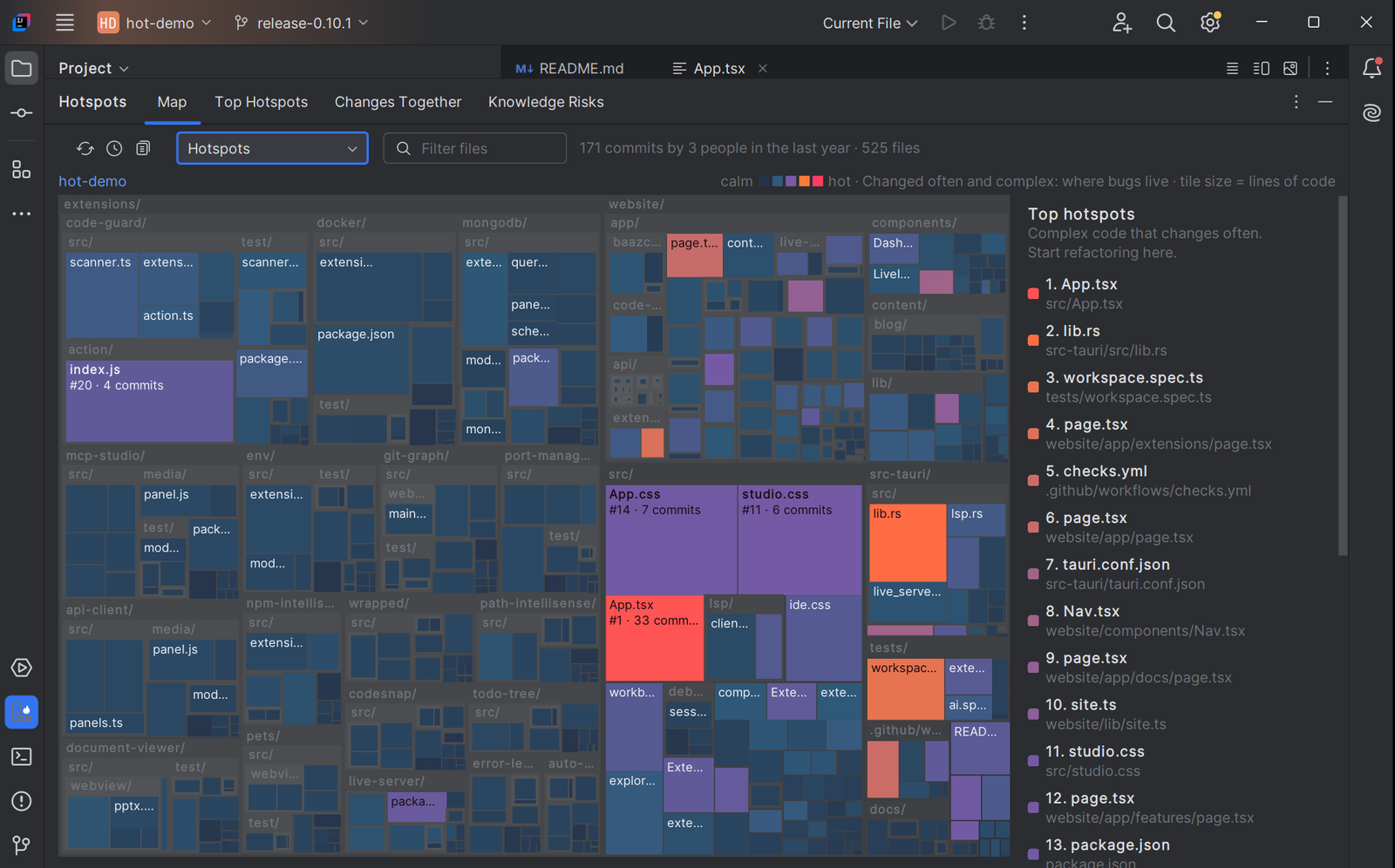
IntelliJ IDEA with Hotspots Veyra on the Veyra Studio repository: 171 commits and 525 files in one view. Its #1 hotspot, App.tsx, glows coral, and the files to refactor first are ranked on the right.
Also for VS Code, as Veyra Hotspots.
Version 1.0.0 · Free · MIT · Windows, macOS and Linux
Every file is a tile, sized by its code and coloured by risk. Hover for details, click a file for its full story, double-click to open it, click a folder to zoom in.
The files to refactor first: complex code that changes all the time, with the reason spelled out for each one.
Pairs that keep landing in the same commits, often across folders. A hidden dependency, made visible, with lines on the map.
Files only one person has ever changed, and code whose only author has left. One person with several names or emails counts once.
A flame and rank on the hottest files in the Project view, the open file’s rank in the status bar, and Why Is This a Hotspot? on right-click.
Hotspots, change frequency, complexity, code age and knowledge risk. It reads your git history and files on your computer, and nothing else.
Coming to JetBrains Marketplace soon. Until then, install it from the .zip:
.zip (189 KB). Don’t unzip it..zip.Using VS Code too? The same heat map for VS Code, Cursor and VSCodium: Veyra Hotspots for VS Code.