 Salesforce Studio
 JetBrains pluginsNew
 Code Guard
 Auto Rename Tag
 Todo Tree
 Error Lens
 Path IntelliSense
 npm IntelliSense
 Blast Radius
 Query Lens
 Container Studio
 API Client
 Port Manager
 Live Server
 Hotspots
 Rewind
 CodeSnap
 Git Graph
 Document Viewer
 Env
 MCP Studio
 Code Garden
 Wrapped
 Pets
Worst case, in one click
The largest font, the largest display size, right-to-left and dark theme at once: the hardest screen your layout will ever meet. Reset puts the phone back exactly as it was.
 VeyraSTUDIO

Test your Android app the way your users really use it. A control panel for your phone or emulator in Android Studio: dark theme, the largest font, Arabic and right-to-left, slow animations, airplane mode, permissions and deep links, each in one click.
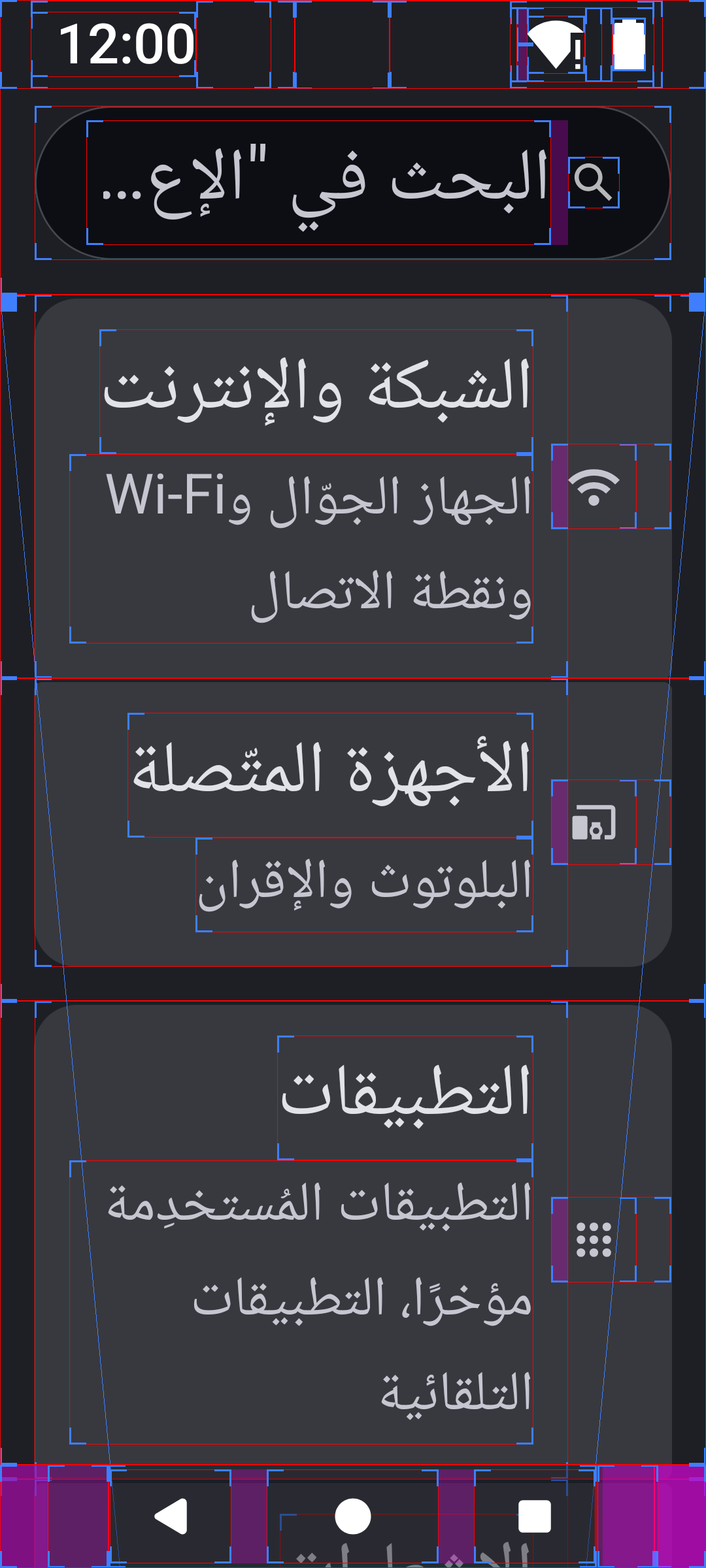
One click on Worst case, then Layout bounds and a clean status bar: Settings on an Android 16 emulator in Arabic, right-to-left, dark, at 200 % font.
Every setting goes back with Reset, so your phone is never left in a strange state.
Version 1.0.0 · Free · MIT · Windows, macOS and Linux · Android 8 and newer, emulators and real phones
The largest font, the largest display size, right-to-left and dark theme at once: the hardest screen your layout will ever meet. Reset puts the phone back exactly as it was.
Light, dark or auto theme, font size up to 200 %, display size from Small to Largest. Find cut-off text and hard-coded colours in seconds.
Switch only your app to Arabic, Hebrew, German, Thai, Japanese and more (Android 13+), or Android’s pseudolocales to spot text you forgot to translate.
Grant or revoke each runtime permission your app asks for, to test every “permission denied” path without reinstalling.
Reads the links in your AndroidManifest.xml and Navigation graphs. Open one and see which screen opened, cold or warm, and how fast.
Animations off to 10× slower, layout bounds, show taps, airplane mode, and a clean 12:00 status bar for store screenshots, saved straight into the editor.
Install it from JetBrains Marketplace in Settings → Plugins, or from the .zip:
.zip (97 KB). Don’t unzip it..zip.