 Salesforce Studio
 JetBrains pluginsNew
 Code Guard
 Auto Rename Tag
 Todo Tree
 Error Lens
 Path IntelliSense
 npm IntelliSense
 Live Values
 Blast Radius
 Query Lens
 Container Studio
 API Client
 Port Manager
 Live Server
 Hotspots
 Rewind
 CodeSnap
 Git Graph
 Document Viewer
 Env
 MCP Studio
 Aura
 Code Garden
 Wrapped
 Pets
Aura for real wins
Clear every error in a file, ship a commit, get your tests green in the IDE’s test runner, pass a build, delete dead code. Real wins, real aura.
 VeyraSTUDIO

Your coding aura. Farm it, flex it, share it. Earn aura for clearing errors, commits and green tests; lose a little for “wip” commits and leftover debuggers. Rank up from NPC to Final Boss, keep your streak and share your aura card.
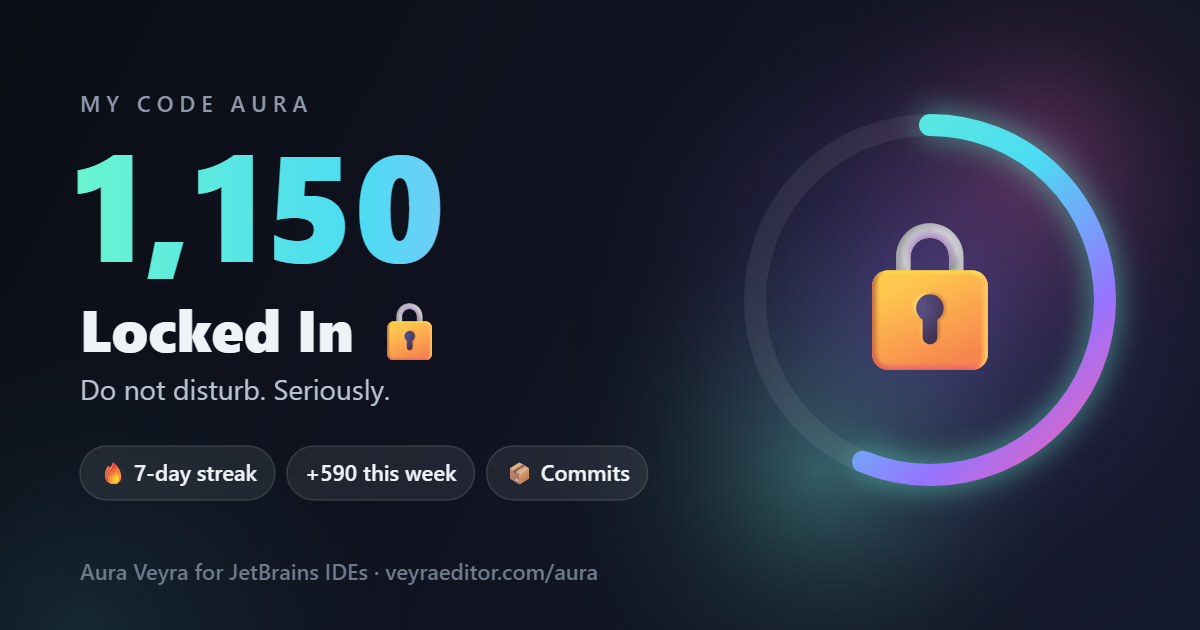
Your aura card, made in the Aura tool window: your aura, rank, streak and week, ready to post.
Also for VS Code, as Veyra Aura.
Version 1.0.0 · Free · MIT · Windows, macOS and Linux
Clear every error in a file, ship a commit, get your tests green in the IDE’s test runner, pass a build, delete dead code. Real wins, real aura.
A “wip” commit message, failing tests or a leftover debugger costs you a little. Turn it off if you only want the W’s.
Eight ranks: NPC, Side Character, Main Character, Locked In, Sigma, Aura Farmer, Goated and Final Boss, with a notification when you rank up.
Code every day to keep it alive. Each streak day adds a bonus, and every move has a daily limit so aura can’t be farmed.
A glowing ring with your aura, your rank and progress, the week as a chart, your best moves and every move. Your aura sits in the status bar too.
One click makes a 1200 × 630 card for X, Instagram and LinkedIn, with the caption copied. 100% local: no account, no telemetry.
Coming to JetBrains Marketplace soon. Until then, install it from the .zip:
.zip (102 KB). Don’t unzip it..zip.Using VS Code too? Your aura, ranks and aura card for VS Code, Cursor and VSCodium: Veyra Aura for VS Code.