 Salesforce Studio
 JetBrains pluginsNew
 Code Guard
 Auto Rename Tag
 Todo Tree
 Error Lens
 Path IntelliSense
 npm IntelliSense
 Live Values
 Blast Radius
 Query Lens
 Container Studio
 API Client
 Port Manager
 Live Server
 Hotspots
 Rewind
 CodeSnap
 Git Graph
 Document Viewer
 Env
 MCP Studio
 Aura
 Code Garden
 Wrapped
 Pets
Neon Vice and Neon Vice Daylight
A deep purple night lit by hot-pink and electric-cyan neon for late sessions, and the same city by day on a crisp white editor.
 VeyraSTUDIO

Neon nights in an 80s beach city. Hot-pink and electric-cyan neon over a deep purple night, with a yellow and orange sunset, plus a bright daylight version. Every syntax colour meets WCAG AA.
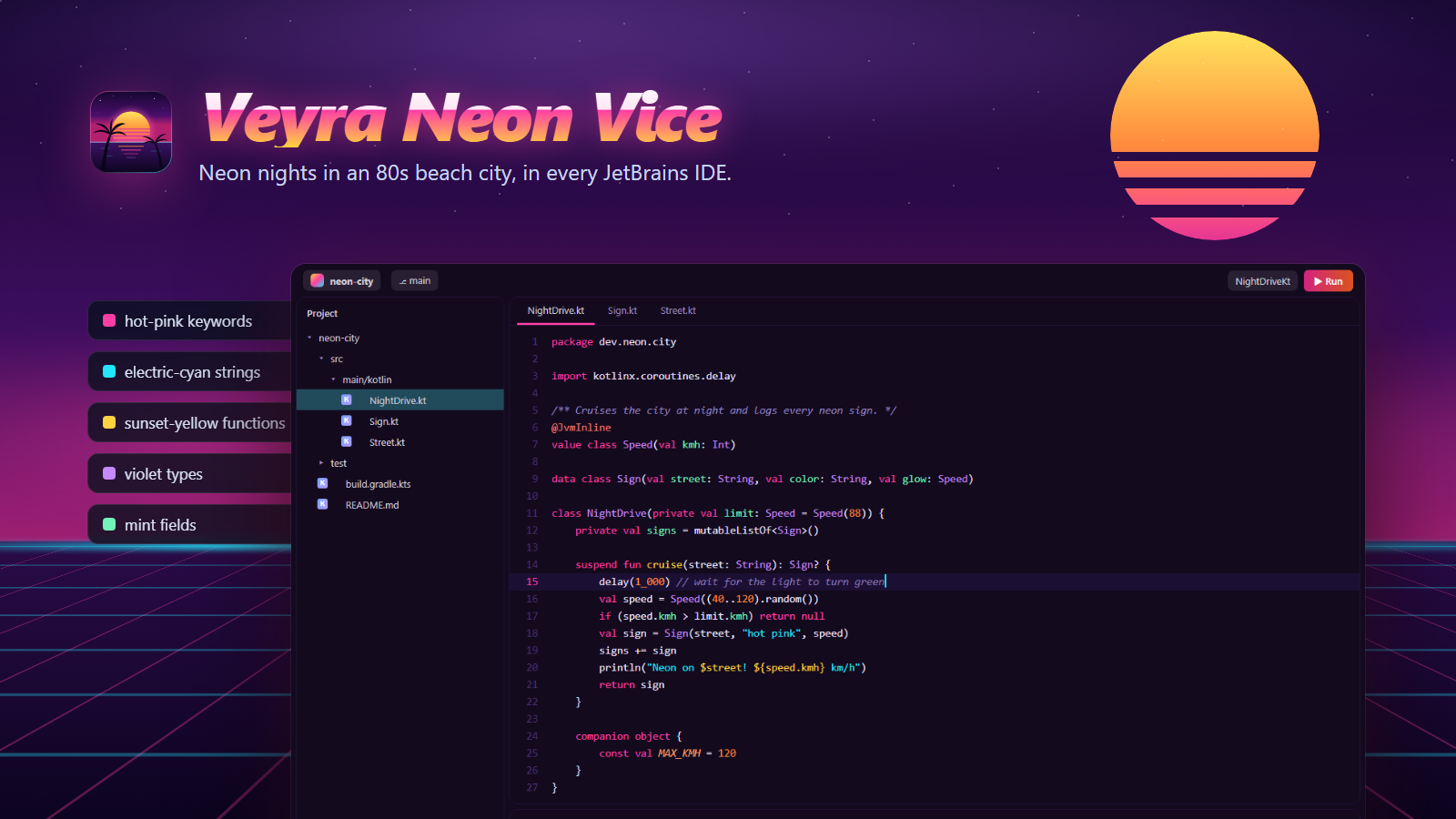
Veyra Neon Vice, drawn from its own colours: hot-pink keywords, electric-cyan strings, sunset-yellow functions, violet types and mint fields on a deep purple night.
Veyra Neon Vice Daylight is in the same plugin: switch between them in Settings → Appearance.
Version 1.0.0 · Free · MIT · Windows, macOS and Linux
A deep purple night lit by hot-pink and electric-cyan neon for late sessions, and the same city by day on a crisp white editor.
Toolbars, tool windows, tabs, popups, Search Everywhere, dialogs, the Run widget and notifications: 1,200+ UI keys, all in one palette.
On 2025.3 and newer you get JetBrains’ rounded Islands layout in neon colours. Older IDEs get the classic New UI, just as polished.
Hot-pink keywords, electric-cyan strings, sunset-yellow functions, violet types, mint fields and orange numbers in Java, Kotlin, Python, JS/TS, Go, Rust, PHP, SQL and the rest.
A pink-to-orange sunset default button, a hot-pink tab underline, an electric-cyan caret, a pink current line number and a pink-to-cyan progress bar.
Every syntax colour meets WCAG AA contrast on its background, comments included. The debugger, diffs, VCS, search results and terminal are themed too.
Coming to JetBrains Marketplace soon. Until then, install it from the .zip:
.zip (37 KB). Don’t unzip it..zip.