 Salesforce Studio
 JetBrains pluginsNew
 dxrayNew
 veyra-snap
 Live Server
 API Client
 Git Graph
 Error Lens
 MCP Studio
 Container Studio
 CodeSnap
 Live Values
A tree you can read
Open and close any level, with a count of keys and items. Small files open fully; big ones show 200 items at a time, so a 10 MB response stays fast.
 VeyraSTUDIO
JSON as a clear, searchable tree.
Open any JSON in Chrome and read it as a tree, with exact numbers, the path of every value, search, and broken JSON explained line by line. Private: nothing is sent anywhere.
v1.0.0 · Free · MIT · Chrome, Edge, Brave · 32 KB · No tracking
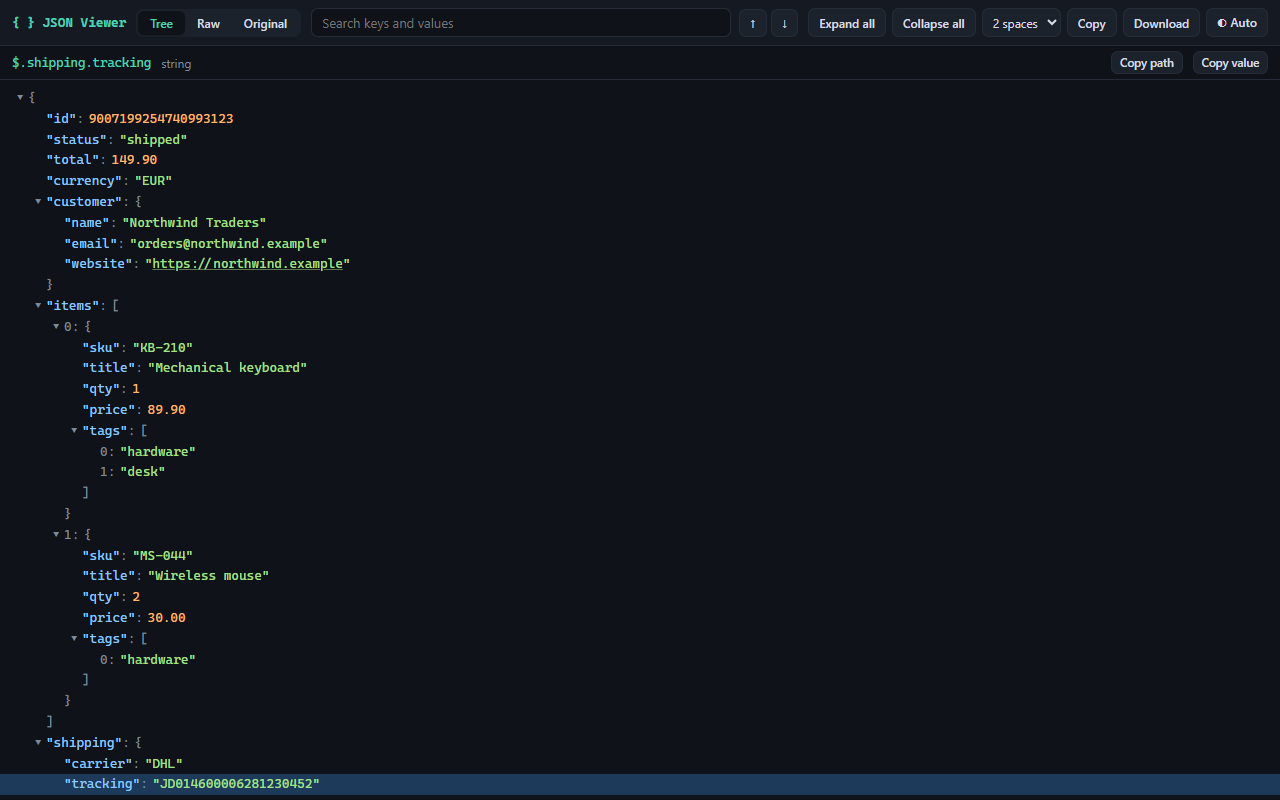
Open and close any level, with a count of keys and items. Small files open fully; big ones show 200 items at a time, so a 10 MB response stays fast.
Long IDs like 9007199254740993123 and prices like 19.90 are shown exactly as sent. Most viewers round them without telling you.
Click a value to see $.items[0].price. Copy the path for your code, or copy the value.
Keys and values, case-insensitive. Enter and Shift+Enter step through the matches; Ctrl+F jumps to the box.
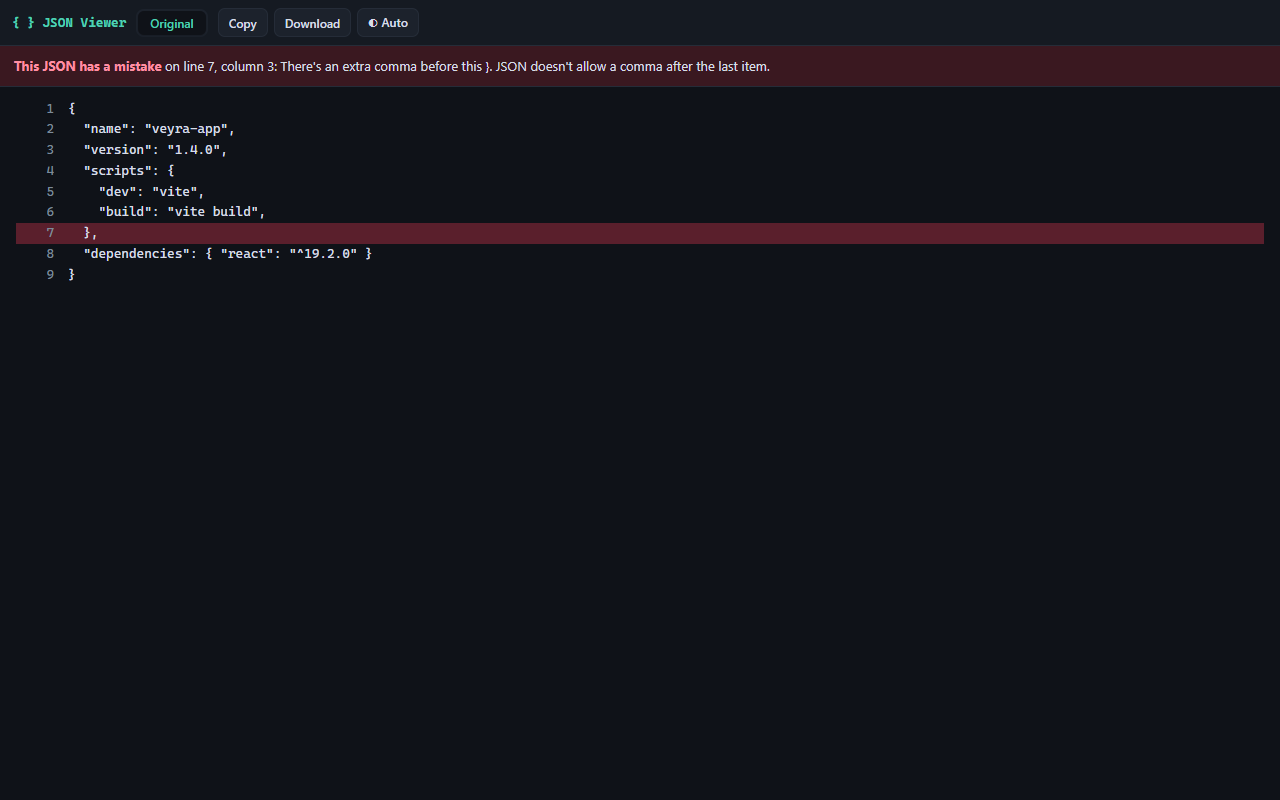
Broken JSON shows the line and column, highlights the line, and says what’s wrong in plain words, like an extra comma before }.
A coloured raw view with 2 spaces, 4 spaces, tabs or one line, the text exactly as sent, and one-click copy or download.
Click the toolbar button to paste JSON or open a .json file, and get the same viewer.
Follows your system, or pick one. Your view, indent and theme are remembered.
No network requests, no analytics, no account. JSON is shown as text only, so a document can never run code through the viewer.
chrome://extensions and turn on Developer mode (top right).Coming to the Chrome Web Store soon. The source is on GitHub, and the privacy policy is one page: nothing is collected. For JSON in your editor, try API Client Veyra for VS Code.
Yes. JSON Viewer Veyra is free and open source under the MIT license, with no ads, no account and no tracking.
Only pages that are JSON: a JSON content type such as application/json, or plain text that is valid JSON. Web pages are never touched.
JSON can come from any website or API, so the extension checks each page’s content type. On anything that isn’t JSON it stops immediately and reads nothing.
JavaScript can only hold numbers up to about 16 digits exactly, so many viewers show 9007199254740993123 as 9007199254740993000, and 19.90 as 19.9. This viewer shows every number exactly as the server sent it.
Yes. It draws only what you open, 200 items at a time, so responses of many megabytes stay quick to scroll and search.
Yes, in any Chromium browser: Chrome, Edge, Brave, Opera, Vivaldi and Arc.
Chrome is a trademark of Google LLC. JSON Viewer Veyra is an independent extension, not made or endorsed by Google.
Veyra Studio is a fast, free code editor with Live Server, Python debugging and Search Everywhere built in.